Author: Bella

  • Best AI Image Generators in Late 2026: 10 Current Models Compared

    Best AI Image Generators in Late 2026: 10 Current Models Compared

    Updated November 19, 2026. This ranking focuses on current-generation products and models—not tools that are merely famous or historically important. Because the market changes quickly, verify availability, limits, and commercial terms before subscribing.

    Quick Verdict

    ChatGPT Images 2.6 is our best overall AI image generator in late 2026. GPT‑Image‑2.6 combines top-tier generation, strong editing consistency, useful text rendering, and the easiest conversational workflow. It also leads the current Artificial Analysis text-to-image leaderboard.

    However, the most important change in this update is the field around it:

    • MAI Image 2.7 is the strongest new challenger for precise editing and value.
    • Nano Banana 2.1 is the best fast multimodal editor for Google users.
    • Midjourney V8.2 remains the aesthetic specialist.
    • Canva Craft is the best route from generated image to finished campaign asset.
    • Seedream 5.5 is a major new option for repeated edits and commercial production.
    • Kling Image 4.0 stands out for high-resolution, reference-heavy brand work.
    • Krea 3 is built for fast, production-oriented image editing.
    • Ideogram 4.5 remains the specialist for typography and precise localized edits.
    • FLUX 3 Image is the most interesting current option for developers and multi-reference pipelines.

    Overall Ranking and Scores

    The HTML below is ready for a Custom HTML block. It uses simple document flow and local inline styles—no JavaScript, external libraries, Grid, Flexbox, fixed-size badges, or media-query-dependent layout.

    Best overall

    1. ChatGPT Images 2.6

    9.5 / 10

    Best balance of generation, instruction following, text, and iterative editing.

    Best new challenger

    2. MAI Image 2.7

    9.3 / 10

    Excellent precise editing and frontier performance at a lower API cost.

    Best fast multimodal editor

    3. Gemini / Nano Banana 2.1

    9.2 / 10

    Fast conversational editing, strong references, and useful real-world knowledge.

    Best artistic output

    4. Midjourney V8.2

    9.1 / 10

    The strongest taste, atmosphere, personalization, and visual exploration.

    Best finished-content workflow

    5. Canva Craft

    9.0 / 10

    Best for turning generated imagery into editable campaigns, posts, and presentations.

    Best repeated-edit workflow

    6. Seedream 5.5

    8.9 / 10

    Strong realism, detail preservation, and stability across many editing rounds.

    Best high-resolution brand work

    7. Kling Image 4.0

    8.8 / 10

    A strong choice for multi-reference visuals, product pages, and high-resolution output.

    Best production editor

    8. Krea 3

    8.7 / 10

    Fast reference-based editing with strong consistency for products and materials.

    Best typography and precise edits

    9. Ideogram 4.5

    8.7 / 10

    Best for text-heavy graphics and localized edits that preserve the rest of an image.

    Best developer pipeline

    10. FLUX 3 Image

    8.6 / 10

    Best for API-first workflows, multi-reference control, and production integration.

    How We Scored the Tools

    Each score uses the same weighting:

    • Output quality and prompt adherence — 25%
    • Editing, references, and consistency — 25%
    • Typography and design control — 15%
    • Workflow and ease of use — 15%
    • Value and production fit — 10%
    • Current relevance — 10%

    “Current relevance” matters because a once-famous model should not outrank a 2026 release simply because it appears in older roundups. We considered release recency, current availability, independent blind-preference data, professional workflow usefulness, and the maturity of the public product.

    We did not perform a controlled laboratory test of every model. Scores combine current documentation with independent signals, especially the Artificial Analysis and DesignArena leaderboards. Early models receive a modest uncertainty penalty when public testing is still limited.

    1. ChatGPT Images 2.6 — 9.5/10

    Best for: Most people, complex briefs, text, reference-based revisions, and conversational editing.

    OpenAI released GPT‑Image‑2.6 in November 2026 in two variants: Sunburst for detailed work and Flare for faster iteration. Both support generation and editing, adjustable complexity, markup-guided edits, SVG output, and animated GIF output. That is a meaningful expansion beyond a standard text-to-image generator.

    The independent evidence is strong. GPT Image 2.6 Sunburst currently leads the Artificial Analysis text-to-image leaderboard, while both variants also sit near the top of editing evaluations. The product’s biggest practical advantage remains the ChatGPT workflow: describe the job, upload references, mark a region, request a correction, and continue the conversation.

    The main drawbacks are cost at high API quality settings and less low-level control than specialist or self-hosted workflows.

    Bottom line: The safest overall recommendation for readers who want one modern image system that handles both creation and revision well.

    2. MAI Image 2.7 — 9.3/10

    Best for: Precise editing, restoration, scene changes, text replacement, and cost-conscious API workflows.

    Microsoft released MAI Image 2.7 and a faster Flash variant in November 2026. The model supports text-to-image generation and image editing, with particular emphasis on surgical changes that preserve the rest of a scene. Microsoft also introduced Canvas as an interactive creation and editing workspace.

    MAI Image 2.7 is not included merely because it is new. It launched at the top of the Artificial Analysis image-editing leaderboard and ranks among the strongest current text-to-image models. The model is also priced below the highest-quality OpenAI configurations, which makes it especially interesting for production workloads.

    The caveat is product maturity. MAI Labs and some model access remain preview experiences, so consumer availability and workflow polish may change.

    Bottom line: The most important new challenger in this update and a serious choice for precise, economical editing.

    3. Gemini / Nano Banana 2.1 — 9.2/10

    Best for: Fast editing, multimodal prompts, infographics, real-world subjects, and Google workflows.

    Nano Banana 2.1 is Google’s October 2026 update to its Gemini image family. It supports text and image input, long multimodal context, image generation, and editing across Gemini, AI Studio, the Gemini API, Search AI Mode, Flow, and other Google products.

    Google’s own model card reports clear gains over Nano Banana 2 and Nano Banana Pro across general editing, character consistency, product consistency, stylization, and multi-reference editing. Independent DesignArena results also place it among the most competitive current products.

    Its weaknesses are familiar to foundation models: occasional spatial errors, imperfect identity consistency, and unreliable small or long text. The fastest experience is excellent, but difficult professional edits can still require retries.

    Bottom line: The best fast multimodal editor for users who want strong results without leaving the Google ecosystem.

    4. Midjourney V8.2 — 9.1/10

    Best for: Art direction, cinematic images, fashion, concept work, mood, and aesthetic exploration.

    Midjourney V8.2 became the default in July 2026. The update focuses on image quality, bolder aesthetics, personalization, and a new Edit Model. Midjourney remains unusually good at turning an underspecified idea into an image that already feels art-directed.

    It ranks below the three leaders because literal instruction following, long text, and precision editing are now central to the market—not because its images look worse. For visual exploration and taste, Midjourney is still often the first tool creative professionals open.

    The trade-offs are limited API-style integration, paid-only access, and less predictable typography than design-focused competitors.

    Bottom line: Still the artistic specialist, but no longer the automatic overall winner.

    5. Canva Craft — 9.0/10

    Best for: Social content, ads, presentations, brand graphics, and editable finished assets.Canva launched Craft in October 2026 as its first in-house image foundation model. It was built around composition and design workflows rather than isolated image generation. Its strongest advantage is what happens after the render: the image can move directly into Canva’s editing, layout, brand, and publishing tools.

    Canva Craft also entered the top tier of DesignArena’s current image leaderboard. That supports the view that Craft is more than a convenient add-on, although it still has a shorter independent track record than ChatGPT, Gemini, or Midjourney.

    Bottom line: The best choice when the goal is not merely to generate an image but to ship a finished piece of content.

    6. Seedream 5.5 — 8.9/10

    Best for: Commercial production, realistic output, small text, and long chains of edits.ByteDance released Seedream 5.5 in November 2026. The company emphasizes stable multi-turn editing, pixel-level preservation of unedited regions, improved realism, and better small-text rendering. It is available through ByteDance’s creation products and API channels.

    Independent leaderboard results place Seedream 5.5 in the current competitive set for both generation and editing. Its strongest proposition is reliability across revisions—an important distinction for product imagery and campaign production.

    The main limitation for a global consumer roundup is access: regional product names, availability, and purchasing paths are less straightforward than ChatGPT, Gemini, or Canva.

    Bottom line: One of the most credible new production models of late 2026, especially when repeated edits matter.

    7. Kling Image 4.0 — 8.8/10

    Best for: High-resolution images, brand campaigns, e-commerce visuals, and multiple references.

    Kling Image 4.0 supports text-to-image generation, multiple reference images, coordinated image sets, and long-form e-commerce or web visuals. Kling promotes output up to 8K and editing tools designed for brand and product presentation.

    The model has quickly gained attention because it connects high-resolution output with practical commercial layouts rather than treating every request as a single art image. It also appears near the top of current editing leaderboards, although some configurations are still preview-stage.

    Bottom line: A high-potential choice for product and campaign teams willing to work with a newer, rapidly changing platform.

    8. Krea 3 — 8.7/10

    Best for: Fast image editing, product consistency, material changes, and production iteration.

    Krea 3 is an October 2026 image editing model built for reference-driven production work. Krea positions it around consistent characters, products, and materials, with native 2K output and faster edits than many heavyweight alternatives.

    It is especially useful inside Krea’s broader model workspace, where creators can generate, edit, enhance, and compare multiple models. DesignArena currently places Krea 3 among the leading image-editing systems.

    Krea 3 is more editing-focused than a universal text-to-image winner, and the surrounding platform exposes enough options to feel complex for casual users.

    Bottom line: A strong modern production editor, especially for creators already using Krea as a multi-model workspace.

    9. Ideogram 4.5 — 8.7/10

    Best for: Typography, posters, packaging, product images, and precise localized edits.

    Ideogram 4.5 focuses on edit precision and reducing drift across repeated revisions. It supports native 2K output, high-resolution editing, text changes, product photography, architecture, style references, and targeted modifications that preserve surrounding details.

    Ideogram remains one of the safest recommendations when text inside an image is important. The 4.5 update also makes it more than a spelling specialist: it is now a precise production editor.

    Its lower overall score reflects narrower positioning, not poor quality. For a text-heavy asset, it may still be the best first choice.

    Bottom line: The specialist to choose when one incorrect word or one damaged product detail would ruin the image.

    10. FLUX 3 Image — 8.6/10

    Best for: Developers, APIs, multi-reference workflows, 4K output, and production integration.

    FLUX 3 Image is Black Forest Labs’ current image-generation and editing model family. Current access partners describe support for multiple references, grounded generation, precise region editing, and native high-resolution output.

    FLUX remains important because it fits developer workflows better than many consumer-first products. It can be used through APIs and partner platforms, with the wider FLUX ecosystem offering different speed, quality, and deployment choices.

    The downside is fragmentation. Users must confirm the exact model, provider, license, price, and feature set rather than assuming every “FLUX” endpoint is identical.

    Bottom line: The best current choice for teams that care more about integration and model-level control than a single polished consumer app.

    New Challengers Worth Watching

    These products are current and notable, but we did not force them into the top ten before enough independent evidence accumulated:

    • Grok Imagine Image 2.0: Strong current leaderboard performance and broad visibility through Grok and X, but policy controversy and product changes make it a less predictable professional recommendation.
    • MiniMax H3‑Image: Released in November 2026 with open weights, 4K output, multi-reference input, and unusually fast generation claims. Promising, but too new for a confident long-term score.
    • Reve 2.1: Excellent DesignArena performance, especially for image creation and editing, but a smaller product ecosystem and lower mainstream awareness.
    • Recraft V4.1: Still one of the best design-first environments, especially for vectors and brand assets, but this update prioritizes newer frontier models in the core ranking.
    • Adobe Firefly Image Model 5: Still the operational choice for Photoshop and governed Adobe workflows, but not a late-2026 frontier leader in raw generation.
    • Leonardo.Ai and Stable Diffusion 3.5: Useful ecosystems with loyal users, but they no longer belong in a “current frontier” top ten unless local customization or creator-suite breadth is the primary criterion.

    Which AI Image Generator Should You Choose?

    • Choose ChatGPT Images 2.6 for the strongest all-round creation and editing workflow.
    • Choose MAI Image 2.7 for precise edits and strong API value.
    • Choose Nano Banana 2.1 for fast multimodal editing in Google products.
    • Choose Midjourney V8.2 when visual taste and atmosphere matter most.
    • Choose Canva Craft when the image must become a finished campaign asset.
    • Choose Seedream 5.5 for long revision chains and commercial production.
    • Choose Kling Image 4.0 for high-resolution, reference-heavy brand work.
    • Choose Krea 3 for fast production editing and material consistency.
    • Choose Ideogram 4.5 for typography and localized edits.
    • Choose FLUX 3 Image for API-first and multi-reference pipelines.

    Frequently Asked Questions

    What is the best AI image generator in late 2026?

    ChatGPT Images 2.6 is the best overall option because it combines high-quality generation, strong editing, text handling, and an easy conversational interface. MAI Image 2.7 is the strongest new editing challenger, while Midjourney remains the aesthetic specialist.

    Why are Leonardo.Ai and Stable Diffusion no longer in the top ten?

    They remain useful, but this version ranks current-generation products rather than historically important ecosystems. Their strongest advantages are breadth and customization, not late-2026 frontier performance.

    Which AI image generator is best for text?

    Ideogram 4.5 remains a safe specialist choice for posters, signs, packaging, and text replacement. GPT‑Image‑2.6, Nano Banana 2.1, Canva Craft, and Seedream 5.5 are also competitive, but every model still requires proofreading.

    Which one is best for editing an existing image?

    ChatGPT Images 2.6 is the easiest all-round editor. MAI Image 2.7 is especially strong for precise changes, Nano Banana 2.1 is fast and conversational, and Ideogram 4.5 is excellent when the rest of the image must remain untouched.

    Can I use AI-generated images commercially?

    Often, but not automatically. Rights depend on the product, plan, model license, training terms, local law, and the contents of the image. A paid subscription does not eliminate trademark, likeness, publicity, or copyright risks. Verify the current terms for the exact model you use.

    Should I pay for more than one product?

    Only if your work spans different jobs. A practical two-tool setup is ChatGPT or Gemini for iteration plus Midjourney for aesthetics, Canva for production, Ideogram for typography, or FLUX for developer integration.

    Final Verdict

    The late-2026 market is no longer a contest between the same familiar names from 2024 and 2025.

    ChatGPT Images 2.6 earns our highest overall score, 9.5/10, because it combines frontier generation with a practical revision workflow. MAI Image 2.7 is the breakout challenger, Nano Banana 2.1 is the fast multimodal editor, and Midjourney V8.2 remains the creative specialist. Canva Craft, Seedream 5.5, Kling Image 4.0, and Krea 3 show how quickly the field has shifted toward production-ready editing and design.

    The best product is not the one with the prettiest launch demo. It is the one that can preserve a subject, fix one detail without breaking five others, render the words you need, fit your publishing workflow, and remain legally and operationally acceptable after the first experiment.

    Sources Consulted

    Official product sources

    Independent evaluation and review sources

  • Anthropic Is About to Go Public. Its IPO Filing Reveals 7 Things Every Claude User Should Know

    Anthropic Is About to Go Public. Its IPO Filing Reveals 7 Things Every Claude User Should Know

    TECHNOLOGY & AI BUSINESS · NOVEMBER 16, 2026

    Will Claude get more expensive? Could your usage limits change? And what happens when AI agents start doing more of your work? Anthropic’s latest IPO prospectus offers some revealing clues—though not necessarily the answers you might expect.

    On November 10, 2026, Anthropic announced the launch of the roadshow for its proposed initial public offering. The company plans to offer 825 million shares of Class A common stock, with an expected price range of $70 to $78 per share, and has applied to list on Nasdaq under the ticker ANT.

    As of November 16, the offering remains proposed, and its registration statement has not yet become effective. Anthropic

    For investors, the discussion will likely center on valuation, revenue growth, and whether Anthropic can build a profitable business.

    But if you’re one of the people who actually use Claude every day, you probably have a different set of questions.

    Will your subscription get more expensive? Will you still be able to use Claude Code as much as you do today? Could the company introduce more restrictions as it tries to balance growth with profitability?

    And perhaps most importantly, will Claude remain a predictable service that you can depend on for your work?

    This analysis reviews Anthropic’s November 10 prospectus from the perspective of Claude users. Rather than focusing on the stock offering itself, I wanted to understand what the filing tells us about the economics behind the products we use.

    The document doesn’t announce new subscription prices or upcoming usage restrictions. What it does reveal is how Anthropic makes money, why AI agents are particularly expensive to operate, and how the company thinks about the resources needed to support growing demand.

    Here are seven things that stood out.

    1. Will Claude become more expensive? The filing doesn’t say, but its revenue model is revealing.

    One of the most interesting disclosures in the prospectus is how much of Anthropic’s revenue comes from usage-based billing rather than subscriptions.

    For the nine months ended September 30, 2026, Anthropic reported:

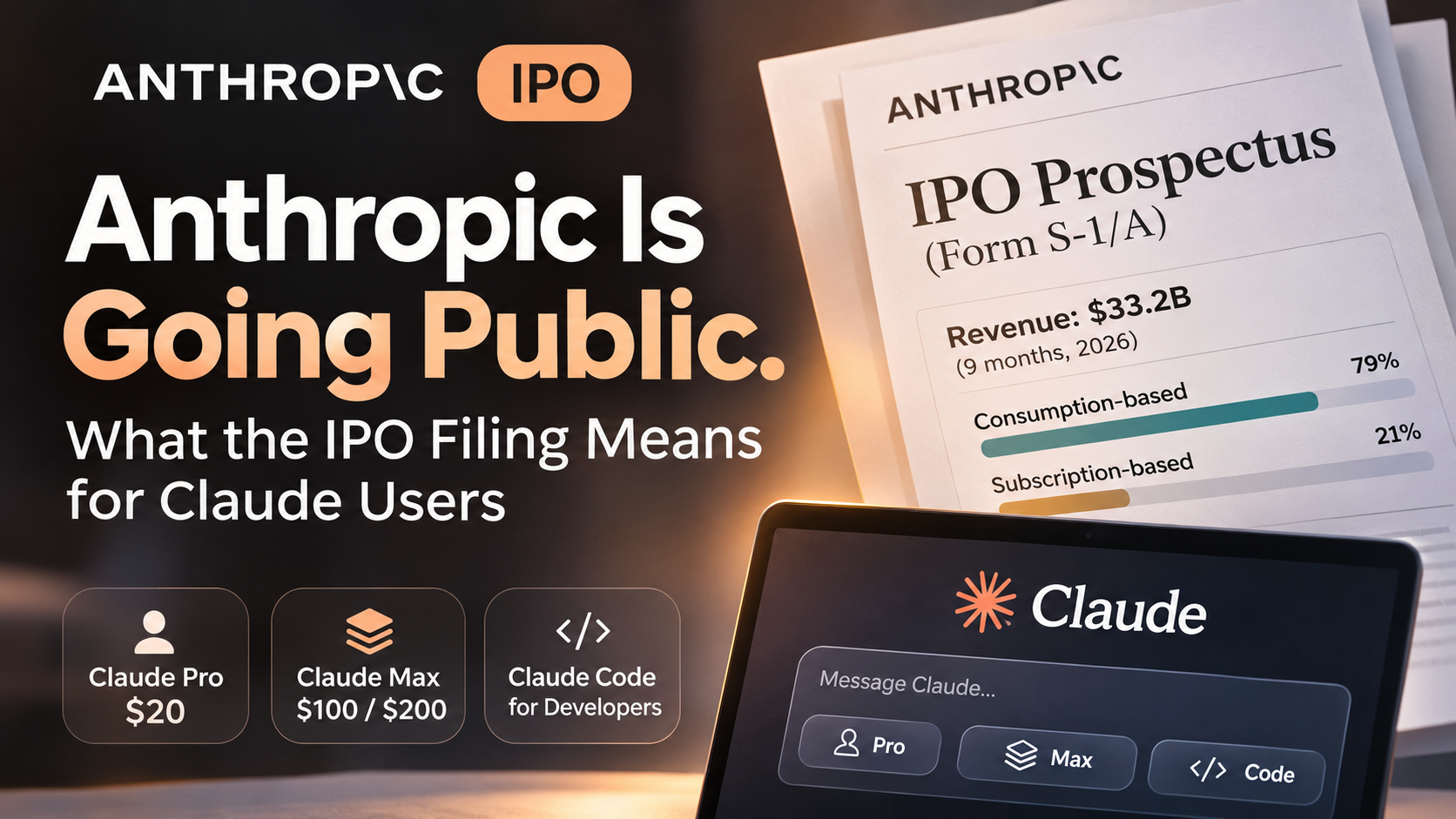
    Anthropic Revenue by Billing Model

    Nine months ended September 30, 2026

    Consumption-based revenue 79%
    $26.3 billion Pay-for-intelligence
    Subscription-based revenue 21%
    $6.9 billion Subscriptions

    Source: Anthropic, PBC — IPO Prospectus (Form S-1/A, November 10, 2026) . Revenue Composition, nine months ended September 30, 2026. Percentages are company-reported and rounded.

    That means the majority of Anthropic’s business is already built around customers paying for the intelligence they consume, rather than simply paying a fixed monthly fee.

    The distinction matters.

    With a subscription, you pay a predictable amount in exchange for a defined set of capabilities and usage allowances. With consumption-based billing, spending scales with how much you use the service.

    Anthropic also describes how these models can work together. Subscribers who approach or exhaust their included usage capacity may move to a higher subscription tier or purchase additional usage.

    This creates a commercial path from a fixed monthly subscription to additional consumption-based spending. Anthropic

    Does that mean Anthropic plans to replace Claude subscriptions with pay-as-you-go pricing?

    No. The prospectus makes no such announcement.

    But it does suggest that the company sees subscriptions and consumption-based billing as complementary rather than competing models.

    For ordinary users, the important question may eventually become less about the monthly subscription price and more about how much useful work that subscription actually includes.

    A $20 or $200 plan is only as valuable as the tasks you can reliably complete within its limits.

    2. Why does Claude have usage limits even when you’re paying?

    If you’ve ever been interrupted in the middle of a Claude Code session because you reached a usage limit, the prospectus provides some useful context.

    Anthropic explicitly states that subscriptions are subject to usage limits that reset over relatively short periods.

    It also acknowledges something that many users have already experienced: the company has changed usage limits, rate limits, and product capabilities in the past, and may do so again.

    Importantly, Anthropic identifies these changes as a business risk because they can affect customer satisfaction, perceptions of product value, and the company’s reputation. Anthropic

    That last point is worth emphasizing.

    Usage restrictions aren’t simply an inconvenience that Anthropic can impose without consequences. The company recognizes that changes to what customers can access may damage trust.

    At the same time, AI services have a cost structure that makes usage limits understandable.

    Unlike a traditional software subscription, where an additional action may require relatively little computing power, running a frontier AI model consumes computational resources each time it processes a request.

    The cost can vary substantially depending on the model, the length of the context, and the complexity of the work.

    This becomes especially important when users move beyond ordinary conversations into coding and autonomous workflows.

    The prospectus doesn’t disclose the precise internal formula Anthropic uses to allocate subscription capacity among individual users. We therefore can’t calculate exactly how profitable or unprofitable a particular Claude subscription is.

    What we can say is that usage limits are an explicit part of Anthropic’s subscription model, and the company has retained flexibility to adjust them.

    That is different from saying an IPO will cause stricter limits.

    There is no disclosed basis for that conclusion.

    3. Claude Code and Cowork could change what an AI subscription is actually worth.

    For many people, Claude is no longer just a chatbot.

    Claude Code can help write and modify software, navigate repositories, and work through multi-step development tasks. Claude Cowork extends the idea of an AI collaborator into broader knowledge-work activities.

    Anthropic identifies both products as important parts of its application business in the prospectus. Anthropic

    The significance is that these products change the nature of AI consumption.

    Consider two hypothetical interactions.

    In the first, you ask Claude to summarize a document. It processes the request and produces a response.

    In the second, you ask an AI agent to investigate a software bug, examine multiple files, propose a solution, modify the code, and verify whether the changes work.

    The second task may involve repeated model calls, tool use, intermediate reasoning, and additional attempts when something fails.

    The amount of work performed by the system can be much greater than what is visible in the final answer.

    This creates a challenge for fixed-price subscriptions: two customers paying the same monthly amount may consume very different quantities of computing resources.

    It also creates an opportunity.

    An AI agent that saves someone several hours of work can deliver substantially more practical value than a chatbot that simply answers questions.

    That may support higher spending among customers who depend on these capabilities, even if the underlying cost per task improves.

    The prospectus doesn’t establish what Claude Code or Cowork subscriptions will look like after the IPO. It also doesn’t establish that agent features will necessarily become more expensive.

    But it makes one broader development clear: Anthropic is building a business in which AI increasingly performs work rather than merely generates responses.

    For users, that suggests a better way to evaluate AI subscriptions.

    Instead of asking only how many messages a plan includes, ask how many meaningful tasks it allows you to complete.

    That is a much more useful measure of value.

    4. Anthropic needs enormous computing capacity. What does that mean for users?

    One of the most striking parts of the prospectus has little to do with subscriptions.

    It’s about infrastructure.

    Anthropic explains that much of its computing capacity is secured through multi-year agreements, typically arranged 12 to 18 months before the resources become available.

    When demand exceeds that planned capacity, the company may need to purchase additional computing resources on shorter notice, at significantly higher prices.

    As of and subsequent to September 30, 2026, Anthropic disclosed approximately $900.9 billion in aggregate purchase commitments and lease agreements, including commitments extending well into the next decade. These are contractual commitments across multiple years, not expenses already incurred or cash that must be paid immediately. Anthropic

    Why should an ordinary Claude user care?

    Because delivering AI services requires Anthropic to balance three things simultaneously: the number of people using its models, the computing resources available to serve them, and the cost of providing those resources.

    A sudden increase in demand doesn’t necessarily mean the company can immediately add equivalent capacity at the same cost.

    This helps explain why AI companies need mechanisms such as usage allowances, rate limits, and different service tiers.

    It also suggests that product availability and capacity planning are closely connected.

    However, there’s another side to the equation.

    More efficient models can reduce the computing resources needed to complete a task. Anthropic has already described efficiency improvements in its model releases, including its September 2026 announcement that Opus 5.5 costs approximately 40% less to run than Opus 5 on typical workloads. Anthropic

    That doesn’t automatically translate into a 40% reduction in subscription prices or user costs. But it demonstrates why higher usage doesn’t necessarily require costs to grow at the same rate.

    The outcome depends on both sides of the equation: how quickly AI usage expands and how efficiently that work can be performed.

    For users, the most reasonable conclusion is that capacity and efficiency will continue to influence the services Anthropic can offer.

    The filing does not establish whether that will result in higher prices, more generous allowances, or a combination of both.

    5. As Claude becomes more autonomous, who is responsible when something goes wrong?

    This is one of the more consequential questions raised by the prospectus.

    A chatbot that gives an incorrect answer can cause problems. But an AI agent that takes actions on a user’s behalf introduces another level of complexity.

    Imagine an agent modifying important code, changing files, or interacting with external systems. An incorrect action may have consequences beyond the conversation itself.

    Anthropic explicitly discusses these risks in its filing.

    The company acknowledges that the legal frameworks governing liability for autonomous AI systems remain unsettled. It also identifies uncertainty about when an AI agent’s actions could create binding obligations for a user or organization. Anthropic

    This is not an admission that Claude routinely performs unauthorized actions. It is a disclosure of potential risks associated with increasingly autonomous systems.

    Still, the implications for users are significant.

    As AI tools gain the ability to perform more complex tasks, questions about permissions, supervision, accountability, and recovery become more important.

    For example, if you allow Claude to modify a software project, it makes sense to maintain version control and review consequential changes before deploying them.

    If an AI agent is working with sensitive documents or external accounts, its access should be limited to what the task actually requires.

    These precautions are useful regardless of which company provides the AI.

    The broader point is that the value of an AI agent increasingly depends on more than its intelligence. Reliability, transparency, and the ability to maintain meaningful human control are becoming part of the product itself.

    And unlike subscription pricing, this is an area where Anthropic’s IPO filing directly acknowledges substantial legal uncertainty.

    6. Will going public change Anthropic’s commitment to AI safety?

    Anthropic has positioned responsible AI development as a central part of its identity.

    That raises an obvious question: will the pressure to satisfy public-market investors change how the company approaches safety?

    The prospectus offers an unusually detailed explanation of Anthropic’s governance structure.

    Anthropic is incorporated as a Delaware public benefit corporation. Under this structure, its directors must balance stockholder financial interests, the interests of those materially affected by the company’s conduct, and its stated public benefit purpose.

    The company also maintains a Long-Term Benefit Trust, which generally has the authority to elect and remove directors who together constitute a majority of the authorized board.

    Separately, Anthropic’s founders are expected to hold 50.1% of the company’s general voting power through a special class of stock after the offering. Anthropic

    These arrangements are designed to preserve the company’s ability to pursue its stated mission alongside commercial objectives.

    But governance structures are not guarantees of particular outcomes.

    The prospectus itself acknowledges that Anthropic may make decisions that affect short-term business performance in pursuit of longer-term objectives. These could include changes to product availability, deployment schedules, or the pace at which certain AI capabilities are released.

    For ordinary users, that means a new model or feature might not always become immediately available simply because it is technically possible to release it.

    Anthropic also describes circumstances in which safety evaluations could delay or limit the availability of certain capabilities. Anthropic

    It would be inaccurate to conclude that going public will necessarily weaken Anthropic’s safety commitments.

    It would be equally inaccurate to assume that its governance structure eliminates every potential conflict between commercial growth and responsible deployment.

    What the filing establishes is that Anthropic has formally incorporated these considerations into its corporate structure.

    How effectively that structure operates will ultimately be judged by the company’s decisions over time.

    7. So what should Claude users actually do before the IPO?

    After reading the filing, I don’t think ordinary users need to make dramatic changes simply because Anthropic is preparing to go public.

    There is no announced post-IPO subscription price increase in the prospectus, no disclosed schedule for reducing Claude Code allowances, and no indication that existing subscriptions will automatically be replaced by consumption-based billing.

    But there are a few practical things worth paying attention to.

    First, evaluate subscriptions by the amount of useful work they support, not just the monthly price or the name of the model included.

    If you use Claude occasionally for writing, research, or summarization, your requirements will be very different from those of someone running complex coding agents throughout the day.

    Second, understand the difference between subscription allowances and additional usage charges. Anthropic’s business model explicitly accommodates both, and knowing which applies to your account helps keep spending predictable.

    Third, avoid making critical work entirely dependent on a single AI service. Maintain copies of important outputs, keep software projects under version control, and make sure you can continue essential workflows if a model, feature, or usage allowance changes.

    Finally, pay attention to official product announcements and service terms rather than assuming that every change is related to the IPO.

    Anthropic’s prospectus identifies competition, computing capacity, customer expectations, product development, and safety requirements as factors affecting its business.

    Any future product decision could involve several of these considerations.

    Attributing every price or usage change to public-market pressure would be an oversimplification.

    The bigger picture: We’re moving from paying for AI access to paying for AI work

    The most interesting takeaway from Anthropic’s prospectus isn’t a prediction about subscription prices.

    It’s the direction of the business.

    Anthropic generates most of its revenue through consumption-based services. It is investing heavily in computing infrastructure. And products such as Claude Code and Cowork are extending Claude’s role from answering questions to performing increasingly complex work.

    Together, these developments point toward a broader shift in how people may evaluate AI services.

    For years, software subscriptions have generally been priced around access: access to an application, a set of features, or a certain number of users.

    AI introduces another dimension.

    The same application can consume dramatically different resources depending on what users ask it to accomplish.

    A short conversation and a multi-hour agent workflow are not economically equivalent, even if both begin with a single prompt.

    That creates a challenge for AI companies trying to offer predictable subscriptions while supporting increasingly capable systems.

    It also creates a challenge for users trying to determine which subscription is worth paying for.

    The question may gradually shift from How much AI can I use? to How much work can this AI reliably complete for the money I spend?

    That doesn’t mean subscriptions are disappearing. Anthropic’s own filing describes subscriptions as an important and growing part of its business.

    It means that the relationship between price, usage, and practical value is likely to become more important as AI agents take on larger responsibilities.

    And that is why Anthropic’s IPO matters beyond Wall Street.

    The company is entering the public markets at a time when AI is becoming part of people’s everyday work. Its future decisions about pricing, capacity, product access, and safety will affect more than its financial statements.

    They will help shape what users come to expect from AI services.

    For now, the prospectus gives us no reason to assume Claude will suddenly become more expensive or restrictive after the IPO. What it does give us is a clearer understanding of the economic and operational tradeoffs behind the service.

    And for anyone who increasingly depends on Claude, understanding those tradeoffs may be more useful than trying to predict its stock price.

    Sources and methodology

    This article relies exclusively on Anthropic’s own disclosures and official publications. The primary source is its preliminary IPO prospectus dated November 10, 2026, filed with the U.S. Securities and Exchange Commission. The analysis also references Anthropic’s official IPO announcement and model-release information.

    Disclosure: This article is an independent analysis of publicly available company disclosures. It is not affiliated with, sponsored by, or endorsed by Anthropic. Statements about possible future developments are analytical interpretations, not announcements of company plans. This article is provided for informational purposes and does not constitute investment, legal, or financial advice.

  • Best Thin and Lightweight Android Phones in 2026: What the Official Numbers Show

    Best Thin and Lightweight Android Phones in 2026: What the Official Numbers Show

    Updated November 13, 2026 · Philippines

    What is the best thin and lightweight Android phone in 2026? Among the current models in this comparison that publish both measurements, the Samsung Galaxy S26 has the clearest verified claim: it is 7.2mm thick and weighs 167g. The TECNO CAMON Slim 5G is thinner at 6.39mm, but TECNO Philippines does not publish its weight, so it cannot be ranked as the lightest—or as the best overall thin-and-light phone—from official data alone.

    1. Thin is not the same as light

    Thickness describes the depth of the phone body. Weight describes mass. A phone can be very slim but still feel substantial because it has a large display, battery or camera system. Width, edge shape, balance and the case also affect comfort.

    For this guide, “thin” means a body below 8.5mm, while “lightweight” means below 200g. These are editorial cutoffs, not industry standards. Camera bumps are generally excluded from manufacturer thickness figures, and official measurements may vary slightly by colour, configuration and production method.

    1. The short answer
    • Best verified combination of thin and light: Samsung Galaxy S26 — 7.2mm, 167g.
    • Thinnest published body: TECNO CAMON Slim 5G — 6.39mm; official weight not published.
    • Light compact alternative: OPPO Reno16 5G — about 8.22mm and 182g in Dream Purple or Twilight Violet; Pop White is about 8.36mm and 193g.
    • Thin phones with larger batteries: realme 16 Pro 5G, HONOR 600 and vivo V80 trade extra weight for 7,000mAh-class batteries.
    1. Current models compared

    Samsung Galaxy S26 — the strongest verified thin-and-light result

    Samsung publishes a 7.2mm thickness and 167g weight for the Galaxy S26, paired with a 6.3-inch display and 4,300mAh typical battery. In this selection, it is both the lightest phone with a published weight and one of the thinnest models. That makes it the simplest answer for buyers who want a compact Android phone that is demonstrably light, not merely slim.

    Trade-off: its smaller chassis also means a lower battery-capacity figure than the large-screen 7,000mAh-class phones below. Battery life cannot be inferred from capacity alone, but buyers prioritising maximum capacity should note the difference.

    Samsung Philippines: Galaxy S26

    TECNO CAMON Slim 5G — the thinnest body, with a missing weight figure

    TECNO Philippines lists the CAMON Slim 5G at 162.58 × 77.27 × 6.39mm, making it the thinnest chassis in this comparison. It also fits a 6.78-inch AMOLED display and a 6,000mAh battery into that profile.

    The limitation is important: the Philippine specification page does not publish device weight. A 6.39mm body proves slimness, but it does not prove low mass. The CAMON Slim 5G therefore earns the “thinnest” distinction here, but remains unranked for “lightest” and for the combined thin-and-light result.

    Who should consider it: buyers who care most about a very thin profile and a large screen, and who can handle the phone in person before judging carrying comfort.

    TECNO Philippines: CAMON Slim 5G specifications

    OPPO Reno16 5G — a compact option where colour changes the numbers

    OPPO lists different dimensions by finish. Dream Purple and Twilight Violet are about 8.22mm thick and 182g, while Pop White is about 8.36mm and 193g. All versions use a 6.32-inch display. The lighter finishes make the Reno16 5G one of the more portable models here, although it is not as thin or light as the Galaxy S26.

    Buying tip: confirm the exact colour before comparing weight. A general “Reno16” figure can hide an 11g difference between finishes.

    OPPO official Reno16 5G specifications

    realme 16 Pro 5G — thin for a large-screen, large-battery phone

    The realme 16 Pro 5G measures about 7.75mm and 192g, with a 6.78-inch display and 7,000mAh typical battery. It stays below the 200g cutoff used in this guide while offering a much larger listed battery than the Galaxy S26.

    Trade-off: at 77.6mm wide, it is a large phone. It may feel less compact in one hand even though its thickness and weight remain competitive.

    realme Philippines: realme 16 Pro 5G specifications

    HONOR 600 — a balanced 190g option with a 7,000mAh battery

    HONOR publishes 7.8mm and 190g for the HONOR 600, together with a 6.57-inch display and 7,000mAh battery. Its numbers place it close to the realme 16 Pro 5G: slightly thicker, slightly lighter and somewhat narrower.

    Who should consider it: buyers who want a sub-200g phone with a high published battery capacity and do not need the smallest possible body.

    HONOR Philippines: HONOR 600

    Xiaomi 17 — compact dimensions, but not the lightest compact phone

    The Xiaomi 17 has a 6.3-inch display, measures 8.06mm and weighs 191g. Its 71.8mm width makes it one of the narrower phones in the group, while its listed 6,330mAh battery is larger than the Galaxy S26’s. The trade-off is a 24g weight increase.

    Best fit: shoppers who value a narrow, compact footprint and larger published battery capacity more than achieving the lowest possible weight.

    Xiaomi Philippines: Xiaomi 17 specifications

    vivo V80 — slim, but not lightweight by this guide’s cutoff

    The vivo V80 changes by colour: Wander Green measures 7.69mm and 203g, while Starwish Purple measures 7.89mm and 206g. Both versions have a 6.59-inch display and a 7,200mAh typical battery.

    This is a useful reminder that slimness does not guarantee low weight. The V80 is thinner than several sub-200g models, yet its mass places it outside this guide’s lightweight threshold.

    vivo Philippines: V80 specifications

    1. Which one should you buy?

    Choose by the measurement that actually affects your daily use:

    • If you want the lightest verified phone in this comparison, the Galaxy S26 is the clear result at 167g.
    • If you want the thinnest published chassis, the CAMON Slim 5G leads at 6.39mm, but try it in person because its weight is not officially listed.
    • If you want a light compact alternative, the 182g finishes of the Reno16 5G deserve a look.
    • If you want a larger battery without crossing 200g, compare the realme 16 Pro 5G, HONOR 600 and Xiaomi 17 by width, screen size and grip.
    • If maximum slimness matters more than low mass, the vivo V80 shows how a thin body can still carry more than 200g.
    1. Before buying
    1. Check the exact variant. Colour and finish can change thickness and weight.
    2. Add the case. A protective case changes both measurements and can affect pocketability more than a small on-paper difference.
    3. Look at width and screen size. A narrow 191g phone may feel easier to hold than a wider 190g phone.
    4. Verify local stock and configuration. Philippine availability, storage and bundled accessories can change.
    5. Handle missing data honestly. If a manufacturer does not publish weight, do not assume a thin phone is also light.
    6. Final verdict

    The Samsung Galaxy S26 is the best-supported answer to “best thin and lightweight Android phone in 2026” within this current Philippine-market comparison because it combines a verified 7.2mm body with the lowest published weight at 167g. The TECNO CAMON Slim 5G is the thinnest at 6.39mm, but its missing official weight prevents a fair combined ranking. That distinction matters: the best evidence-based buying guide should reward published measurements, not fill missing specifications with assumptions.

  • Christmas 2026 Android Phone Gift Guide: Six Current Models for Different Kinds of Recipients

    A neutral Christmas gift-guide cover inspired by the Philippines.

    Updated November 13, 2026

    The best Android phone to give this Christmas is not automatically the newest or most expensive one. It is the phone that fits the recipient’s habits: a compact device for someone who dislikes large phones, a foldable for a multitasker, a camera-focused model for a frequent traveler, or a slim phone for someone who values easy carrying. This guide compares six current models listed on their brands’ Philippine websites, without naming one overall winner.

    1. The short version

    Start with the person, not the logo. Samsung Galaxy S26 Ultra suits a recipient who wants a large premium phone and privacy-focused display features. Xiaomi 17 is the compact option in this group. OPPO Find X10 prioritizes a large battery and ambitious camera hardware. vivo V80 centers on portraits and selfies. HONOR Magic V6 is the foldable choice for someone who will genuinely use a tablet-sized inner screen. TECNO CAMON Slim 5G is the unusually thin option, but its official Philippine page does not publish a weight, so slimness should not be treated as proof that it is the lightest phone here.

    1. At-a-glance comparison
    ModelBest matched toSize and weightBattery and chargingKey trade-off to check
    Samsung Galaxy S26 UltraLarge-screen premium use, photography and public-screen privacy6.9-inch display; 214g; 7.9mm5,000mAhLarge body and premium positioning may be unnecessary for a casual user
    Xiaomi 17Someone who wants flagship hardware in a compact form6.3-inch display; 191g; 8.06mm6,330mAh; 100W wired; 50W wirelessA smaller display is not ideal for everyone’s gaming or video habits
    OPPO Find X10Long outings, heavy camera use and buyers comfortable with a substantial phone6.59-inch display; about 216g; about 8.35mm8,000mAh; 80W wired; 50W wirelessIts size, weight and premium price need to suit the recipient
    vivo V80Portraits, group selfies and frequent social photography6.59-inch display; 203–206g; 7.69–7.89mm7,200mAh; 90W wiredColor choice changes the published thickness and weight slightly
    HONOR Magic V6Multitasking, reading and someone who already wants a foldable7.95-inch inner and 6.52-inch outer displays; 219g; 8.75mm folded6,660mAh; 80W wired; 66W wirelessA foldable adds cost and handling considerations that a bar phone avoids
    TECNO CAMON Slim 5GSomeone who prioritizes a very thin body and a large display6.78-inch display; 6.39mm; official PH weight not published6,000mAh; 45W wiredDo not assume “slim” means “light”; verify the actual unit in person
    1. Samsung Galaxy S26 Ultra: for the large-screen premium user

    Samsung lists a 6.9-inch display, a 214g body, a 5,000mAh battery and a rear camera system led by a 200MP wide camera, with 50MP ultra-wide and 50MP telephoto cameras. Its built-in Privacy Display is the more distinctive gift consideration: it is designed to reduce side viewing of selected content in public places. That can matter to someone who regularly handles messages, banking apps or work information while commuting.

    The trade-off is straightforward. This is a large, premium phone. A recipient who mainly chats, browses and takes occasional photos may not use enough of its hardware to justify the cost. Check whether they actually enjoy big phones before turning impressive specifications into an uncomfortable daily carry.

    1. Xiaomi 17: for someone who wants a smaller flagship

    Xiaomi 17 is the compact counterpoint in this selection. Its official Philippine page lists a 6.3-inch display, 191g weight, 6,330mAh battery, 100W wired charging and 50W wireless charging. The rear system uses three 50MP cameras, including a main camera, a floating telephoto and an ultra-wide camera.

    This is a sensible profile for a recipient who wants high-end performance but dislikes oversized phones. The smaller screen is also the main reason not to choose it: someone who watches long videos, edits documents or plays games on a phone may prefer more display area. Compactness is useful only when it matches the way the recipient holds and uses a device.

    1. OPPO Find X10: for long days and camera-heavy trips

    OPPO Find X10 combines a 6.59-inch display with an 8,000mAh battery, 80W wired charging and 50W wireless charging. Its published camera hardware includes 200MP wide and 200MP telephoto cameras, plus a 50MP ultra-wide camera. On paper, that makes it the most capacity-heavy option in this group for a traveler or creator who expects long shooting days.

    Capacity is not the same thing as convenience. OPPO lists the phone at about 216g and 8.35mm, and the Philippine page places it firmly in the premium tier. Confirm that the recipient is comfortable carrying a substantial phone and will benefit from the camera system instead of paying for specifications they rarely use.

    1. vivo V80: for portraits, group photos and selfies

    vivo V80 is the most clearly portrait-oriented model in this set. The Philippine specification page lists a 50MP OIS main camera, a 50MP OIS super-telephoto camera, a 50MP autofocus front camera and an 8MP ultra-wide camera. It also carries a 7,200mAh battery with 90W charging and a 6.59-inch 144Hz AMOLED display.

    This profile fits someone who regularly photographs friends and family, especially when a capable front camera matters as much as the rear system. Note that the published dimensions vary by finish: vivo lists 203g and 7.69mm for Wander Green, versus 206g and 7.89mm for Starwish Purple. If color is part of the gift, it slightly changes the physical specification too.

    1. HONOR Magic V6: for a recipient who already wants a foldable

    HONOR Magic V6 opens to a 7.95-inch inner display and retains a 6.52-inch outer screen. HONOR lists a 219g body, 8.75mm folded thickness, a 6,660mAh battery, 80W wired charging and 66W wireless charging. Its strongest reason to exist is not a single specification but the extra screen space for reading, multitasking and viewing documents.

    A foldable should be a deliberate gift, not a surprise based only on novelty. The recipient needs to value the larger inner canvas enough to accept a different handling routine, a crease and the cost of a complex form factor. If they prefer simple one-handed use, a conventional phone may be the safer fit.

    1. TECNO CAMON Slim 5G: for someone who values a thin carry

    TECNO CAMON Slim 5G is built around a 6.39mm body while still listing a 6.78-inch 1.5K 144Hz AMOLED display and a 6,000mAh battery with 45W charging. Its official camera specifications include a 50MP OIS main camera, an 8MP autofocus ultra-wide camera and a 32MP front camera.

    The important distinction is between thinness and weight. TECNO’s Philippine specification page publishes the dimensions but not the phone’s weight. This guide therefore does not label it the lightest option. For a recipient who is sensitive to carrying comfort, try the actual unit with a case before buying; a slim profile can feel different from a low total mass.

    1. How to choose the gift without turning specifications into guesswork
    1. Confirm the preferred size. Ask whether the recipient likes compact phones, large screens or foldables. This eliminates more bad choices than camera megapixels do.
    2. Match the camera to real behavior. Portraits, telephoto shots, selfies and casual family photos are different tasks. Choose the system that reflects what the person already photographs.
    3. Check the current total price. Compare the exact storage variant, charger policy, case, protection plan and installment cost—not just a launch price.
    4. Verify local support. Buy through an authorized Philippine seller and confirm warranty coverage, return rules, service-center access and current stock.
    5. Do not surprise someone with a new form factor. A foldable or unusually large phone is best given when the recipient has already shown interest in it.
    6. A neutral way to make the final choice

    Choose Galaxy S26 Ultra for a recipient who wants a large premium screen and privacy-oriented display tools; Xiaomi 17 for someone who values compact flagship hardware; OPPO Find X10 for long battery life and ambitious camera specifications; vivo V80 for portraits and group selfies; HONOR Magic V6 for a committed foldable user; or TECNO CAMON Slim 5G for someone who prioritizes a very thin body.

    None of those profiles is universally better. The most thoughtful Christmas phone is the one that fits the recipient’s hands, habits and budget—and still makes sense after the decorations come down.

    Official sources

  • Best Digicam Apps in 2026: An Independent, Source-Based Comparison

    Dazz Cam, VSCO, OldRoll, HUJI Cam, Snapseed, WayShot, and RNI Films compared by workflow—not hype.

    A young woman in a black dress holds a camera, playfully posing for a photo at a dimly lit social gathering.

    Short answer: which digicam app is best?

    There is no single best digicam app for every workflow. Dazz Cam and OldRoll make the strongest case for people who want to choose a simulated camera before shooting. HUJI Cam is the simplest route to one recognizable late-1990s look. WayShot is the most direct fit for bold flash, saturated color, and scene-based camera styles. VSCO is better for building a consistent edit across many photos, while Snapseed is the practical choice for detailed correction. RNI Films is the specialist for film emulation rather than a true digital-camera aesthetic.

    How this comparison was made

    The apps were compared across five questions:

    • Capture or edit? Does the app shape the image before the shutter, after capture, or both?
    • How specific is the look? Does it offer distinct camera simulations, one signature treatment, or a general editing toolkit?
    • How much control is available? Can users adjust exposure, color, grain, masking, RAW files, or reusable edits?
    • Who is the workflow for? Is it designed for quick social photos, repeatable feed styling, or detailed post-production?
    • What is the trade-off? Every recommendation includes a practical limitation supported by the product’s published scope.

    The “Best for” labels below are editorial conclusions drawn from those official feature sets. They are not claims made by the developers.

    Dazz Cam: best for choosing a simulated camera before shooting

    Best for: People who want a broad menu of retro cameras and accessories inside a capture-first app.

    Dazz Cam’s official App Store listing describes formats including 135 and 120 film, half-frame, instant, disposable, 3D, compact-camera, and CCD-inspired profiles. It also lists flash, timers, exposure compensation, ISO and shutter controls, color-temperature adjustments, focal-length options, and accessories such as fisheye, prism, starburst, ND, and color-flash filters. Selected cameras can import existing photos, but the product is fundamentally organized around choosing a camera and shooting with it.

    Strengths: The range is unusually broad for one app, and the presence of exposure and accessory controls gives users more room to shape a look at capture time.

    Limitations: The large camera library can require more experimentation than a one-look app. The official listing also says some functions, including importing and reprocessing, are available only on selected cameras, while full access requires Dazz Pro.

    Suitable users: Curious shooters who enjoy changing cameras and want the phone interface to feel like part of the photographic process.

    Official source: Dazz Cam on the US App Store

    VSCO: best for a consistent aesthetic across a full camera roll

    Best for: Creators who care more about repeatable color and editing consistency than a skeuomorphic digicam experience.

    VSCO’s official materials describe a photo editor for mobile and desktop with film-inspired presets, grain, analog textures, light leaks, frames, HSL controls, RAW editing on supported iOS devices, and reusable Recipes. The company also offers capture features, but its core advantage in this comparison is the editing system: users can apply a look, adjust its strength and color, save it, and reuse it across other images.

    Strengths: VSCO is well suited to making photos from different days and cameras feel related. Its combination of presets and manual controls offers more flexibility than a fixed novelty filter.

    Limitations: VSCO is a broad creative editor, not a dedicated digicam simulator. Reaching a specific early-2000s compact-camera look may require choosing and tuning several tools rather than selecting one clearly labeled digital-camera model. Advanced presets and tools depend on membership tier.

    Suitable users: Instagram creators, editors, and photographers building a recognizable visual style across a series.

    Official source: VSCO Photo Editor features

    OldRoll: best for a playful camera-like shooting experience

    Best for: Casual shooters who want to browse retro camera personalities and make the act of shooting feel more like using a disposable, instant, or toy camera.

    OldRoll’s official App Store listing presents a collection of camera simulations covering instant, fisheye, Super 8, rangefinder-inspired, disposable, lo-fi, and other retro directions. Published features include flash, date stamps, selfies, timers, mirror effects, frames, grain, light leaks, and social sharing. The current version history also references an editing page, presets, and Color Match, even though the main description still emphasizes a no-retouch, capture-first experience.

    Strengths: The interface and named camera concepts make it easy to choose a mood before pressing the shutter. The variety extends beyond a single “vintage” filter.

    Limitations: The official listing mixes long-standing descriptions with newer editing features, so the exact workflow and access level may vary by version. Its emphasis is retro film and novelty-camera character more than a narrowly defined early-digital CCD look.

    Suitable users: People who value an entertaining camera interface and want quick, stylized results without building a manual edit.

    Official source: OldRoll on the US App Store

    HUJI Cam: best for one recognizable late-1990s look

    Best for: Users who want a simple, committed aesthetic with minimal decision-making.

    HUJI Cam’s official listing is deliberately narrow: it invites users to take pictures “just like the year 1998.” Its published functions include a camera viewfinder, timer, selfie mode, random light effects, date-stamp options, photo-quality settings, and the ability to import existing photos through an in-app purchase.

    Strengths: HUJI’s constraint is also its appeal. It offers a fast route to vivid color, date-stamp nostalgia, and randomized light effects without asking users to compare dozens of cameras.

    Limitations: It is the least flexible choice in this group for users who want multiple digicam identities or precise color control. Importing photos is not part of the basic capture workflow, and its aesthetic is closer to disposable-film nostalgia than a comprehensive digital-camera toolkit.

    Suitable users: Beginners, party shooters, and anyone who prefers a single signature effect over a configurable editor.

    Official source: HUJI Cam on the US App Store

    Snapseed: best for correcting and constructing the look manually

    Best for: Users who want detailed editing control and targeted corrections after taking the photo.

    Google’s official Snapseed listing describes a broad photo editor with 30-plus tools and filters, film simulations, grain, bloom, halation, smart masking, selective adjustments, batch editing, non-destructive edits, RAW support, and a camera mode for custom styles or film looks. Official help pages also document Selective controls for local brightness, contrast, and saturation.

    Strengths: Snapseed can fix exposure, color, perspective, or distracting details while also adding vintage texture. Local adjustments make it useful when a one-tap filter affects faces, skies, or flash highlights unevenly.

    Limitations: Snapseed is not organized around named compact-camera simulations. The user has to build the digicam character from general tools and film effects, which takes more judgment than selecting a ready-made camera style.

    Suitable users: Editors who prefer manual control, photographers working with RAW files, and people refining images from another camera app.

    Official source: Snapseed on Google Play

    WayShot: best for direct-flash energy and scene-based camera choices

    Best for: iPhone users seeking a quick route to bold flash, saturated color, and a small set of clearly differentiated camera styles.

    WayShot’s official US App Store listing describes an iPhone camera and photo editor that can shoot new images or edit photos from the library. Its current camera-style lineup includes DigiCam for nights and direct flash, DigiLite for daylight and travel, Clean Girl for warmer portraits, B&W for monochrome work, and ProCam for a cleaner finish. The listing positions the workflow around selecting a style for the scene rather than adjusting a large technical toolset.

    Strengths: The app makes its intended use cases explicit. Someone choosing between a party, daylight travel, a warm portrait, or a polished profile image does not need to decode a long filter catalog.

    Limitations: WayShot’s curated style library is smaller than Dazz Cam’s or VSCO’s broader ecosystems, and the official listing currently identifies the app as iPhone-only. It is better suited to quick style selection than detailed local retouching or RAW development.

    Suitable users: Social photographers who want a direct-flash digicam direction without assembling the look through multiple editing controls.

    Official source: WayShot on the US App Store

    RNI Films: best for film emulation and RAW-based editing

    Best for: Photographers who want film-stock character and a streamlined editor rather than a digital compact-camera simulation.

    RNI Films’ official App Store listing describes filters derived from digitized analog slides and negatives, grouped into negative, slide, instant, black-and-white, and vintage categories. It also lists film grain, bloom, halation, color and tonal adjustments, RAW editing, and beta video grading.

    Strengths: RNI Films is the most explicitly film-focused tool in this comparison. Its RAW support and adjustment tools make it suitable for photographers who want to combine a film profile with deliberate post-production.

    Limitations: The product describes itself as an analog-film editor, not a digicam camera. It is therefore a weaker fit for people specifically chasing early-2000s CCD color, hard on-camera flash, or a point-and-shoot interface. Video grading is still labeled beta in the official listing.

    Suitable users: Film-emulation enthusiasts and mobile photographers who start with an existing photo or RAW file.

    Official source: RNI Films on the US App Store

    Which app should you choose?

    • Choose Dazz Cam if selecting among many simulated cameras and capture accessories is part of the fun.
    • Choose VSCO if the main goal is a consistent aesthetic across many photos, devices, or posts.
    • Choose OldRoll if a playful camera interface and quick retro variety matter more than technical control.
    • Choose HUJI Cam if you want one recognizable, low-decision 1998-style treatment.
    • Choose Snapseed if you need to correct specific parts of an image and construct the look manually.
    • Choose WayShot if the priority is an iPhone-first direct-flash or scene-based digicam workflow.
    • Choose RNI Films if the real target is analog film character, RAW support, grain, bloom, and halation.

    Final verdict

    “Best digicam app” is really three different questions. For a camera-simulation experience, Dazz Cam and OldRoll are the strongest matches. For a defined social-photo direction, HUJI Cam and WayShot reduce the number of decisions. For post-capture control, VSCO, Snapseed, and RNI Films offer progressively different balances of preset consistency, detailed correction, and film emulation.

    The most honest choice is the one that matches when the look should happen: before the shutter, through a quick style after capture, or through a deliberate edit. Availability, included features, and purchase options can change, so readers should check the linked official pages before downloading.

    Official sources

    1. Dazz Cam — US App Store
    2. VSCO — Official Photo Editor Features
    3. OldRoll — US App Store
    4. HUJI Cam — US App Store
    5. Snapseed — Google Play
    6. WayShot — US App Store
    7. RNI Films — US App Store

    Editorial disclosure: This article is not sponsored. No app paid for inclusion, placement, or a favorable conclusion. The comparison is based on current public information from official product pages and official app-store listings, reviewed on October 29, 2026. It does not claim independent hands-on performance testing, and it does not use app-store ratings as evidence of image quality.

  • Best AI API Aggregators for Developers in 2026: An Independent Comparison

    Developers rarely struggle to find an AI model. The harder problem is deciding how to access, switch, monitor, and pay for models without rebuilding the application every time a provider changes.

    That is why AI API aggregators and gateways have become an important part of the stack. A good platform can give a team one integration point, reduce provider lock-in, add fallbacks, centralize usage data, or make a specialized inference workload easier to operate.

    The most important caveat is that the seven products compared here are not all the same kind of service. OpenRouter and CometAPI are hosted multi-model access platforms. LiteLLM and Portkey are primarily gateways that sit between your application and upstream providers. Together AI, fal.ai, and Groq are inference platforms with distinct infrastructure and model focuses. Treating all seven as interchangeable would produce a misleading ranking.

    The short answer

    • OpenRouter is the clearest fit for developers who want a hosted, LLM-focused aggregator with a large provider catalog and built-in provider fallback.
    • LiteLLM is the strongest fit for teams that want an open-source, self-hosted proxy and prefer to bring their own provider credentials.
    • Portkey is best suited to organizations that prioritize gateway governance, observability, routing controls, and enterprise deployment options.
    • Together AI is a compelling option for teams that want serverless or dedicated inference for open and openly available models, rather than a neutral gateway across many external vendors.
    • fal.ai stands out for image, video, audio, 3D, and other generative-media workloads.
    • CometAPI is notable for exposing text, image, video, and audio models through one account and a largely OpenAI-compatible integration path.
    • Groq is a specialized hosted inference choice for developers who value low-latency model serving and are comfortable with a more focused catalog.

    How this comparison was evaluated

    This review uses five criteria that matter in production development:

    1. Operating model: Is the product a hosted aggregator, a self-hosted gateway, or a first-party inference platform?
    2. Coverage: Does it focus on text models, or does it also cover image, video, audio, embeddings, and other modalities?
    3. Reliability controls: Does it document fallbacks, retries, routing, load balancing, or capacity-management features?
    4. Visibility and governance: Can teams track spend, enforce budgets, audit requests, or control provider access?
    5. Integration effort: Can an existing OpenAI-style client be reused, and how much infrastructure must the team operate?

    No performance score is assigned. Official vendor benchmarks are not directly comparable, and a fair speed or reliability ranking would require controlled testing with the same prompts, regions, concurrency, models, and failure conditions.

    Quick comparison

    PlatformPrimary categoryControl modelDocumented coverageBest fit
    OpenRouterHosted multi-provider aggregatorManaged serviceLarge LLM catalog, plus selected multimodal capabilitiesFast access to many LLM providers through one endpoint
    LiteLLMOpen-source proxy and SDKSelf-hosted100+ LLM providers through a normalized interfaceTeams that want infrastructure control and bring-your-own keys
    PortkeyAI gateway and governance platformManaged, open-source, and self-host optionsMulti-provider and multimodal gateway capabilitiesEnterprise routing, observability, and policy control
    Together AIInference cloudManaged serverless or dedicated endpointsChat, image, vision, video, audio, embeddings, and moreServing open models without managing GPU infrastructure
    fal.aiGenerative-media inference platformManaged APIs and serverless deploymentImage, video, audio, 3D, and world modelsMedia-heavy products and custom generative pipelines
    CometAPIHosted multi-model aggregatorManaged serviceText, image, video, and audio modelsBroad multimodal access through one account and API key
    GroqSpecialized inference cloudManaged serviceFocused text, reasoning, speech, OCR, and related modelsLatency-sensitive applications using supported models

    1. OpenRouter: best for a hosted, LLM-first aggregator

    Homepage of OpenRouter featuring a unified interface for accessing various models, highlighting key statistics such as 700+ monthly tokens, 10M+ global users, 80+ providers, and 500+ models.

    OpenRouter is the most conventional aggregator in this group. Its official developer page describes one OpenAI-compatible endpoint covering more than 500 models across more than 80 providers, with automatic provider fallback. Developers can switch models by changing the model identifier rather than rewriting the integration.

    Where it is strong. The platform is attractive when model choice is the priority. It combines a large catalog with unified authentication, provider routing, fallback behavior, usage data, and a familiar API shape. This makes it practical for evaluation tools, multi-model products, and teams that do not want to maintain separate integrations and billing relationships for every provider.

    Trade-offs. OpenRouter is a managed intermediary, so teams give up some of the deployment control they would have with a self-hosted proxy. Although its ecosystem includes multimodal models, its clearest strength remains LLM access and routing rather than a media-production pipeline.

    Best for: Developers who want broad hosted LLM access with minimal integration overhead.

    Official sources:OpenRouter Developer Platform; OpenRouter model routing and fallback overview; OpenRouter pricing.

    2. LiteLLM: best for an open-source, self-hosted gateway

    Homepage of LiteLLM showcasing the AI Gateway for platform teams. It highlights features like optimization, observability, routing, and governance, with options to get started or talk to sales.

    LiteLLM is not a reseller-style marketplace. It is an open-source library and proxy that normalizes calls to more than 100 LLM providers into an OpenAI-style format. Its documentation includes retry and fallback logic, a self-hosted gateway, virtual keys, spend tracking, load balancing, and an administrative interface.

    Where it is strong. LiteLLM gives engineering teams control over deployment and upstream credentials. It is useful when an organization already has provider accounts but wants one internal endpoint, consistent request and response formats, budgets, routing rules, and centralized logs. The open-source approach can also reduce dependence on a single managed gateway vendor.

    Trade-offs. Self-hosting creates operational responsibility. Your team must deploy, secure, monitor, upgrade, and scale the proxy. Upstream provider accounts and commercial terms also remain your responsibility. LiteLLM is therefore less turnkey than a hosted aggregator with unified billing.

    Best for: Platform teams that want bring-your-own-provider credentials and infrastructure control.

    Official sources:LiteLLM documentation; LiteLLM gateway architecture; LiteLLM spend tracking.

    3. Portkey: best for gateway governance and observability

    Portkey branding with a transition to PRISMA AIRS AI Gateway. The image highlights features like prompt management, universal access to LLMs, load balancing, and security for AI interactions with options to watch a webinar or contact the company.

    Portkey positions its product as an AI gateway with routing and integrated governance capabilities. Its official documentation lists a universal API, provider and model fallbacks, conditional routing, retries, circuit breakers, load balancing, canary testing, caching, request timeouts, multimodal support, and self-hosting options. It also offers an open-source gateway.

    Where it is strong. Portkey covers more of the operational control plane than a basic API normalizer. It is designed for teams that need observability, policy enforcement, reliability controls, and centralized administration across multiple model providers. Hybrid and self-hosted deployment options make it relevant to enterprises with stricter infrastructure or compliance requirements.

    Trade-offs. The broader feature set also means more concepts and configuration than a simple single-endpoint aggregator. Small teams that only need model switching may find a lighter service easier to adopt. Some governance and enterprise features depend on plan and deployment choices, so buyers should confirm the exact package they need.

    Best for: Organizations treating model access as a governed platform capability rather than a single application integration.

    Official sources:Portkey AI Gateway documentation; Portkey open-source documentation; Portkey pricing.

    4. Together AI: best for open-model inference at managed scale

    Homepage of Together AI featuring a modern design with colorful geometric shapes, highlighting the AI Native Cloud platform and its services for optimized training and production inference.

    Together AI is better understood as an inference cloud than as a neutral aggregator. Its serverless service exposes supported models through a shared per-token API without requiring developers to provision replicas. Its catalog includes chat, image, vision, video, audio, embeddings, reranking, and moderation. Dedicated endpoints are available for teams that need reserved resources and more predictable capacity.

    Where it is strong. Together AI is appealing when a team wants to run open or openly available models without owning GPU operations. The same broader platform also supports dedicated inference, fine-tuning, post-training, and GPU clusters, which can support a path from experimentation to more customized production workloads.

    Trade-offs. It is not a universal gateway that routes arbitrary requests to every major proprietary API vendor. The team is choosing Together AI as its inference provider for the supported catalog. That is a different architectural decision from using OpenRouter, LiteLLM, Portkey, or CometAPI as a layer over multiple upstream services.

    Best for: Teams that prioritize managed open-model inference and may later need dedicated capacity or model customization.

    Official sources:Together AI serverless models; Together AI dedicated endpoints; Together AI pricing.

    5. fal.ai: best for generative-media APIs

    Homepage of fal, showcasing their AI inference platform for generative media and world models, with a focus on image, video, audio, 3D, and world models.

    fal.ai focuses on generative media rather than general-purpose LLM aggregation. Its official platform page describes more than 1,400 image, video, audio, 3D, and world-model endpoints behind one inference API and one key. Developers can call hosted models or deploy their own models and pipelines on fal’s serverless infrastructure.

    Where it is strong. fal.ai is purpose-built for media workloads, including queue-based inference, autoscaling, real-time interfaces, and serverless deployment. It is a strong option for products that need to move quickly across image and video models without building a separate GPU platform.

    Trade-offs. Its specialization is also its boundary. Teams primarily comparing commercial chat LLMs, enterprise text-model policies, or multi-provider conversational routing may be better served by an LLM gateway. Model inputs and outputs can also vary significantly across media endpoints, so a single client does not eliminate all model-specific application logic.

    Best for: Creative applications, media pipelines, and teams deploying their own generative models.

    Official sources:fal.ai inference platform; fal.ai documentation; fal.ai pricing.

    6. CometAPI: best for broad multimodal access through one account

    Screenshot of CometAPI homepage highlighting the unified API for over 500 AI models, featuring sections for getting a free API key and integration documentation.

    CometAPI is a hosted multi-model API platform. Its official documentation describes access to more than 500 models across text, image, video, and audio, with an OpenAI-compatible base URL for many text workflows. The platform also documents usage and balance queries, model listing, error handling, and model fallback patterns.

    Where it is strong. CometAPI’s main differentiator in this comparison is modality breadth. A developer can use one account and API key to reach LLMs and generative-media models rather than adopting a separate aggregator for each category. That is useful for applications that combine chat, image generation, video generation, speech, or music features.

    Trade-offs. A broad catalog does not mean every model exposes identical parameters. Media APIs often require model-specific request formats, asynchronous jobs, polling, or webhooks. The official fallback guide also shows that application-level model fallback must be configured deliberately; an official-provider fallback requires a separate provider account and key. Teams seeking an open-source or fully self-hosted gateway should look elsewhere.

    Best for: Developers building multimodal products who want one commercial access layer across many model categories.

    Official sources:CometAPI documentation; CometAPI model and provider fallback guide; CometAPI pricing.

    7. Groq: best for latency-sensitive inference on a focused catalog

    Groq is a hosted inference provider, not a broad neutral aggregator. Its documentation lists production and preview models for text generation, reasoning, speech-to-text, text-to-speech, OCR, image recognition, and related tasks. It also provides OpenAI-compatible interfaces, multiple service tiers, batch processing, and production-readiness guidance.

    Where it is strong. Groq is designed around fast inference on its supported model catalog. The official model pages publish throughput information for individual models, and the OpenAI-compatible API can reduce migration effort for applications already using that client pattern.

    Trade-offs. The catalog is intentionally more focused than a large aggregator, and preview models may have different stability expectations from production models. Capacity behavior also depends on the selected service tier; for example, Groq’s Flex Processing documentation recommends handling capacity errors with retries.

    Best for: Applications where response latency matters more than access to the widest possible model marketplace.

    Official sources:Groq supported models; Groq OpenAI compatibility; Groq Flex Processing.

    Which platform should you choose?

    Choose OpenRouter if you want a hosted LLM marketplace with a very large provider catalog and automatic provider fallback.

    Choose LiteLLM if you want to own the gateway, keep upstream provider relationships separate, and operate the proxy yourself.

    Choose Portkey if observability, policy, routing, guardrails, and enterprise deployment controls are central requirements.

    Choose Together AI if your priority is managed inference for open models, with a path toward dedicated capacity, training, or custom deployment.

    Choose fal.ai if image, video, audio, 3D, and real-time generative media are the core workload.

    Choose CometAPI if a single commercial account spanning both LLMs and media models is more valuable than self-hosting the gateway.

    Choose Groq if your application fits its supported catalog and low-latency inference is the primary goal.

    Final verdict

    There is no defensible universal winner because these platforms solve different layers of the stack. OpenRouter and CometAPI simplify hosted multi-model access. LiteLLM and Portkey give teams more control over routing and governance. Together AI, fal.ai, and Groq provide differentiated inference infrastructure for open models, generative media, or latency-sensitive workloads.

    The best procurement process is therefore not to ask which platform has the longest feature list. Start with three architectural questions: Do you want a managed intermediary or a self-hosted gateway? Do you need text models only or multiple media types? Do you want access to many external providers, or do you want one inference provider optimized for a specific workload?

    Once those questions are answered, the field becomes much smaller—and the right choice becomes easier to defend.

    All product descriptions in this article were checked against official documentation or official product pages on October 29, 2026. Model catalogs, availability, pricing, plan limits, and feature packaging change frequently. Readers should verify the linked official pages before making a purchasing or production decision.

    Editorial disclosure: This is not a sponsored ranking. It contains no affiliate links, paid placements, or paid ranking positions. No vendor received a higher score or preferred position. The analysis is based exclusively on official public documentation reviewed on October 29, 2026. It is a documentation-based editorial review, not a private performance benchmark.

  • Best AI Voice Recorders in 2026: PLAUD and Its Alternatives

    Editorial disclosure: This article is not sponsored, and no manufacturer paid for inclusion. No comparative laboratory transcription-accuracy testing was performed; recommendations use current specifications, US pricing, privacy documents, and cited independent reviews.

    AI voice recorders are useful in 2026 only when frequent recording justifies another device and possible subscription. For meetings plus phone calls, PLAUD Note Pro is the most complete dedicated option here. PLAUD NotePin S is better for hands-free wear, while Notta Memo includes more documented free minutes. Audio-first users should consider TASCAM DR-05XP; occasional users should start with a phone app. Always verify transcripts and summaries against the recording.

    Quick Answer: What Is the Best AI Voice Recorder in 2026?

    PLAUD Note Pro is the best all-purpose dedicated option here for people who regularly capture meetings and handheld phone calls. Its advantage is workflow breadth, not proven superior accuracy. Wearability, source audio, privacy, or cost can make another option better.

    ProductBest ForApprox. PriceAI FeaturesSubscription?Main Limitation
    PLAUD Note ProMeetings plus phone calls$189Transcription, speaker labels, summaries, Ask Plaud300 min/mo free; paid optionalCloud AI processing and ongoing cost
    PLAUD NotePin SHands-free in-person capture$179Same PLAUD workspace; physical highlight control300 min/mo free; paid optionalNo dedicated phone-call mode
    soundcore WorkSmall, lower-cost wearable$159 listTranscription, summaries, speaker recognition, Ask AI300 min/mo free; paid optionalNot intended for professional audio
    Notta MemoMultilingual meetings and calls$149Transcription, translation, summaries, AI chat600 min/mo documented after bindingAI workflow needs network access
    TASCAM DR-05XPAudio-first interviews and field captureAbout $109 retailNone built in; import laterNo device subscriptionNo automatic transcript or summary
    Google Pixel RecorderPixel ownersNo added hardwareLive transcript, search, supported summariesNo separate recorder feePixel-only; features vary by model/language
    Apple Voice MemosiPhone owners and simple notesNo added hardwareTranscript; summary via compatible Apple IntelligenceNo separate recorder feeLimited meeting workflow and speaker tools
    Otter.aiOnline meetings and searchable notesFree; Pro from $8.49/mo annuallyLive transcript, speaker ID, AI chat, workflowsFree tier; paid optionalSoftware only and cloud-centered

    Prices are public US prices checked October 28, 2026. Promotions, taxes, annual renewals, regional pricing, and inventory can change. Notta’s updated support page lists 600 free minutes per month for eligible hardware-plan users, although its product page still displays 300; verify the entitlement shown in your account before buying.

    Why Are AI Voice Recorders Becoming Popular?

    The value is the shorter path from conversation to searchable text, speaker labels, summaries, and action items. That can reduce administrative work after interviews, lectures, visits, and meetings. The trade-off is that useful AI normally requires an app, cloud processing, and possibly a subscription; summaries can omit context or misattribute speakers.

    What Actually Makes a Good AI Voice Recorder?

    Recording: placement matters as much as microphone count; clothing rub, distance, and noise reduce intelligibility. Transcription: accents, overlap, names, numbers, and technical terms make vendor accuracy percentages incomparable without one test set. Portability: consider charging hardware as well as rated battery life. Cost: compare included minutes and renewal pricing. Privacy: check processing location, sync, retention, access, and model-training terms. Encryption and certifications are controls, not guarantees.

    Best AI Voice Recorders in 2026 — Detailed Reviews

    PLAUD Note Pro — Best Dedicated Recorder for Meetings and Phone Calls

    Overview: Note Pro records rooms and handheld calls; PLAUD Desktop covers online meetings. It has four MEMS mics plus a voice processor, 64GB, 112 languages, and manufacturer-rated 30-hour Enhance or 50-hour Endurance modes. Search, labels, summaries, and templates share one workspace. PCWorld liked the workflow but warned against expecting podcast audio. A proprietary charger, cloud AI, Android call friction, and subscriptions remain drawbacks. Best for: frequent meeting-and-call users. Skip it for: local-only AI or production audio. Verdict: broadest dedicated workflow, not a proven accuracy winner.

    PLAUD NotePin S — Best Wearable Inside the PLAUD Ecosystem

    Overview: This 17.4g in-person wearable has two MEMS mics, a stated 3-meter range, 20-hour recording, 64GB, a physical button, highlight control, and four wearing options. It uses the same PLAUD workspace and plans as Note Pro, but has no dedicated phone-call mode; clothing position can affect audio. Best for: hands-free visits and field work. Skip it for: frequent calls. Verdict: choose it for physical control and wearability, not a different AI engine.

    soundcore Work — Best Value Wearable

    Overview: This 10g, $159 wearable has two mics, a claimed 5-meter range, IPX4 resistance, eight hours alone or 32 with its case, and 300 free minutes monthly. Pro is $15.99 monthly or $99.99 annually. One-press capture, highlights, speaker recognition, and summaries suit meetings. Cadena SER found outdoor transcription weaker and audio unsuitable for podcasts. Best for: small, lower-cost wearable capture. Skip it for: production audio. Verdict: compact value with a 300-minute ceiling.

    Notta Memo — Best Free Hardware Allowance and Multilingual Workflow

    Overview: The $149 Memo uses four MEMS mics plus a bone-conduction mic for room and call modes. It weighs 28g, has 32GB, supports 58 languages, and is rated for 30 hours. Transcription, translation, speaker ID, summaries, and chat share one app. Updated support documentation lists 600 free minutes, though the product page still says 300. TechRadar liked the physical switch and app depth. Network dependence and a proprietary charger are drawbacks. Best for: multilingual meetings and calls. Verdict: strong value; verify the allowance.

    TASCAM DR-05XP — Best for Original Audio and Later Transcription

    Overview: This traditional $109 recorder captures up to 96kHz/32-bit float on microSD, runs over 17 hours on AA batteries, and doubles as a USB-C interface. There is no built-in AI or subscription; users choose where to send a copy. Digital Camera World praised its portability and close-source voice quality but found the fixed stereo mics poor for distant speech. Best for: interviews and content where original audio matters. Skip it for: instant notes. Verdict: more control, more post-production.

    Google Pixel Recorder — Best No-Extra-Hardware Option for Pixel Owners

    Overview: Pixel Recorder offers live transcription, search, transcript editing, and supported speaker labels. Pixel 6 and later handle listed languages; Pixel 8 and later can summarize English and Mandarin. Recordings stay in private app storage and backup is optional. It is Pixel-only, not a general call recorder, and speaker separation can fail. Best for: compatible Pixel owners with occasional notes, lectures, or interviews. Verdict: try it before buying hardware.

    Apple Voice Memos — Best Simple Option for iPhone Owners

    Overview: iPhone 12 and later can transcribe Voice Memos in supported languages; compatible Apple Intelligence devices can summarize through Writing Tools. Audio is exportable and iCloud sync is optional. The app lacks dedicated meeting templates, cross-meeting chat, and a comparable speaker workflow; summaries depend on hardware, language, and region. Best for: simple notes and occasional lectures. Verdict: sufficient for many iPhone owners, not a full meeting system.

    Otter.ai — Best Software-Only Meeting Workspace

    Overview: Otter is software, not a recorder. Basic includes 300 minutes, live transcription, speaker ID, playback, and AI chat. Pro is $16.99 monthly or $8.49 monthly billed annually, with 1,200 in-app minutes and ten imports. Search and meeting workflows exceed native memo apps, but the service is cloud-centered; its policy permits de-identified data to improve proprietary AI, while external AI providers do not train on submitted data. Best for: online meetings and imported audio. Verdict: capable software with privacy terms to review.

    PLAUD vs. Other AI Voice Recorders: What Are the Real Differences?

    OptionHardware StyleBest Capture ContextIncluded AI UseData PathWhy Choose It Over PLAUD?
    PLAUD Note ProCard-sizedRooms, phone calls, desktop meetings300 min/moCloud processing; sync optionalBaseline: widest dedicated workflow
    PLAUD NotePin SWearableHands-free in-person speech300 min/moCloud processing; sync optionalChoose for wearability, not calls
    soundcore Work10g wearable + caseMeetings and classes300 min/moTemporary cloud upload for transcriptionLower list price and smaller recorder
    Notta MemoCard-sizedRooms, calls, multilingual use600 min/mo for eligible hardware planCloud AI; local desktop mode is separateMore included minutes and translation focus
    TASCAM + appHandheld audio recorderClose interviews and source audioDepends on chosen serviceLocal until user uploadsBetter file control and audio workflow
    Phone + native appExisting smartphoneOccasional notes and lecturesNo added hardware feeLocal or optional account syncLowest incremental cost

    PLAUD Note Pro vs. PLAUD NotePin S: Which Should You Choose?

    Choose Note Pro for interviews, conference-room meetings, or handheld calls where its four-microphone array, 5-meter claimed range, dual mode, and longer battery ratings matter. Choose NotePin S for site visits and everyday face-to-face conversations where wearing the recorder is more convenient than attaching it to a phone. Both use the same 300-minute Starter allowance and PLAUD Intelligence plans. NotePin S is not a smaller Note Pro for calls; it is an in-person wearable with simpler capture hardware.

    Dedicated AI Recorder vs. Smartphone: Do You Really Need Another Device?

    Dedicated hardware is justified when one-button reliability, separate battery, wearable placement, phone-call capture, or long sessions remove recurring friction. A smartphone is enough for occasional use near the speaker: Pixel Recorder and Voice Memos avoid new hardware, while Otter adds a richer cloud workspace. Dedicated hardware improves convenience, not automatically transcription quality.

    Buying Recommendations by User Type

    • Business: PLAUD Note Pro for rooms plus calls; Otter when meetings are mostly online.
    • Journalists: TASCAM close to the source for quotable audio; import a copy for transcription.
    • Students: Notta Memo for its 600-minute hardware plan, or a native phone app at no added cost.
    • Researchers: TASCAM plus an institution-approved service when file control and auditability matter.
    • Creators: TASCAM for interview, voiceover, and video audio; AI hardware for planning calls only.
    • Travelers: NotePin S or soundcore Work for wearability; TASCAM with spare AAs off-grid.
    • Privacy-conscious users: TASCAM without upload, Pixel backup off, or Voice Memos with iCloud disabled.
    • Budget buyers: Start with the phone already owned; add hardware only to solve a repeated problem.

    Hardware Price vs. Subscription Fees: What Will You Actually Pay?

    The sticker price is only the first year of the decision. The examples below use current US list prices and annual plans, assume no tax or promotion, and do not include the cost of a phone, microSD card, or replacement charging accessory.

    WorkflowIllustrative Year 1Illustrative 2 YearsAssumption
    PLAUD Note Pro + Pro annual$288.99$388.98$189 hardware + $99.99 each year
    PLAUD NotePin S + Pro annual$278.99$378.98$179 hardware + $99.99 each year
    soundcore Work + Pro annual$258.99$358.98$159 list + $99.99 each year
    Notta Memo on Hardware Plan$149$149Eligible user remains within 600 min/mo; no paid plan
    TASCAM DR-05XP + Otter ProAbout $210.88About $312.76$109 retail + Otter at $8.49/mo billed annually
    Otter Pro on existing phone$101.88$203.76$8.49/mo billed annually

    Users who remain within a free allowance pay only for hardware. Heavy users should compare paid minutes, maximum session length, imports, AI features, and renewal price—not just the first-year bundle. PLAUD and soundcore Unlimited plans are roughly $240 per year, which can exceed the device price in the first renewal cycle.

    Are AI Voice Recorders Safe and Private?

    No connected recorder is safe for every conversation. PLAUD sends data to the cloud for AI processing, then deletes cloud copies after return when Cloud Sync is off. soundcore says audio is temporarily uploaded for transcription. Notta and Otter use cloud workflows under different training and retention terms. Encryption does not replace consent or organizational approval. US rules vary, especially across states; consult the Reporters Committee’s guide and obtain clear consent. This is not legal advice.

    Frequently Asked Questions

    What is the best AI voice recorder in 2026?

    PLAUD Note Pro is the most complete dedicated choice here for regular room and handheld-call recording. NotePin S is better for wearability, Notta Memo includes more free minutes, and phone apps offer better occasional-use value.

    Is PLAUD worth buying?

    Yes, when one-button capture and one transcript-and-summary workspace save time weekly. It is harder to justify for occasional notes, cloud-restricted work, or users unwilling to pay beyond 300 monthly minutes.

    What are the best alternatives to PLAUD?

    Notta Memo is the closest meeting-and-call alternative; soundcore Work is a smaller wearable; TASCAM prioritizes source audio; Otter provides meeting software; Pixel Recorder and Voice Memos avoid extra hardware.

    Is PLAUD Note Pro better than PLAUD NotePin S?

    Note Pro adds room and phone-call modes, more microphones, longer stated endurance, and greater range. NotePin S is better when immediate, wearable in-person capture matters more.

    Can AI voice recorders transcribe multiple languages?

    Yes, but listed support does not guarantee equal results across accents, noise, or technical terms. PLAUD lists 112 languages and Notta 58. Test the exact language and vocabulary before relying on either.

    Do AI voice recorders require a subscription?

    Not for basic recording. The reviewed devices include free minutes; paid plans add capacity or advanced AI. Compare the renewal price, limits, and included features with the hardware price.

    Can I use my phone instead of an AI recorder?

    Usually. Pixel Recorder, Voice Memos, and Otter cover occasional use. Dedicated hardware matters when you need separate battery, repeatable placement, wearable capture, or a specific call workflow.

    Are AI voice recorders accurate enough for professional use?

    They can accelerate work, but outputs require review. Keep the audio, verify names, numbers, quotations, decisions, and speakers, and never treat an AI summary as a complete record.

    Final Verdict: Which AI Voice Recorder Is Actually Worth Buying?

    PLAUD Note Pro is the best dedicated all-rounder here for meetings plus calls; NotePin S is the better PLAUD wearable. soundcore Work is smaller and cheaper, while Notta Memo has the largest documented free hardware allowance. Choose TASCAM when source audio and file control matter, Otter for a software meeting workspace, and native phone apps for the lowest cost. Most people should try their phone first and buy hardware only when it solves a repeated capture problem.

    Primary Sources Used for Verification

  • Best AI Smart Glasses in 2026: Which Ones Are Actually Worth Buying?

    Smart glasses have moved beyond trade-show demos, but they do not solve one universal problem. The useful products fall into three groups: everyday AI glasses for voice help and capture, display glasses for short information, and tethered XR glasses that act like a private screen. That distinction matters before purchase.

    For most people who want everyday AI assistance and a camera, Ray-Ban Meta (Gen 3) is the best-balanced choice. Oakley Meta Vanguard is better for sports. Meta Ray-Ban Display and Rokid Glasses add visual information at higher cost. XREAL 1S and VITURE Pro 2 suit movies, gaming, and a portable large screen, not hands-free photography. Buy only when one specific job justifies the price, charging, privacy obligations, and phone dependence.

    Quick Answer: Which AI Smart Glasses Are Worth Buying in 2026?

    The strongest buy depends on the task. Ray-Ban Meta (Gen 3) offers the broadest everyday mix of camera, audio, and AI. Rokid Glasses are more useful when live captions, translation, or a teleprompter must be visible. VITURE Pro 2 is the value pick for a private entertainment display. Prices below are US figures checked on October 28, 2026; promotions, stock, lens options, taxes, and regional availability can change.

    ProductCategoryBest forApprox. priceKey strengthsMain limitations
    Ray-Ban Meta (Gen 3)Everyday AI cameraMost everyday usersFrom $449Natural styling, 12MP camera, 3K video, open-ear audioNo display; Meta account and app; privacy concerns
    Oakley Meta VanguardSport AI cameraAthletes and POV creators$499Centered 12MP camera, IP67, Garmin and Strava supportSport-specific design; no display
    Meta Ray-Ban DisplayAI with displayEarly adoptersFrom $799Color display, visual replies, Neural Band controlsExpensive; limited app ecosystem; two devices to charge
    Rokid GlassesAI with displayTranslation and presenting$799 list; $699 saleDual-eye display, camera, captions, teleprompterMonochrome display; some features depend on updates
    Even Realities G2Discreet displayCamera-free daily information$599Normal-looking frame, binocular display, two-day rated useNo camera; green-only display; premium price
    Solos AirGo V2Modular AI cameraBuyers who value modular privacy optionsListed at $29916MP photos, 2K video, replaceable frame systemStock was inconsistent; no display; privacy kit costs extra
    XREAL 1STethered XR displayTravel entertainment and a large virtual screen$449 list; $399 sale1200p per eye, 52-degree field of view, native 3DoFRequires a source device; not an everyday AI camera
    VITURE Pro 2Tethered XR displayBudget movies and gaming$299Bright Micro-OLED display, focus adjustment, low priceAccessories add cost; text clarity and audio may disappoint

    What Makes AI Smart Glasses Worth Buying?

    We evaluated every product against the same factors: AI usefulness; camera controls; manufacturer-rated battery life; comfort; display usefulness; phone, app, and accessory requirements; privacy safeguards; and total cost. Battery figures are not independent endurance tests, and virtual-screen sizes are viewing simulations rather than physical measurements.

    Specifications do not guarantee daily value. A bright display is wasted without needed apps, and a camera is a poor fit in privacy-sensitive workplaces. Tethered XR glasses can deliver a better movie screen, yet cannot replace a hands-free camera or assistant. Category comes before brand.

    Best AI Smart Glasses in 2026: Product-by-Product Comparison

    Ray-Ban Meta (Gen 3): Best Overall for Everyday AI and Capture

    Ray-Ban Meta (Gen 3) combines a 12MP ultrawide camera, 3K video, six microphones, open-ear audio, and Meta AI in familiar frames. The official launch information lists a $449 starting price, up to nine hours of use, and 50 additional hours from the case.

    It is the most balanced option for voice help, calls, music, and occasional hands-free photos. Skip it if visual directions are essential or a camera is inappropriate at work; IPX4 is not intended for serious sport exposure. Best for: everyday convenience. Verdict: the broadest practical AI-glasses package, but not an immersive display.

    Oakley Meta Vanguard: Best for Sports and Point-of-View Video

    Oakley Meta Vanguard puts Meta’s camera-and-audio platform in a $499 wraparound sport frame. Oakley documents a centered 12MP camera with 3K recording, IP67 resistance, up to nine hours of moderate use, and Garmin and Strava integrations; compatible Garmin hardware is separate.

    A secure fit and activity overlays suit cyclists, runners, and outdoor creators. The trade-offs are an athletic appearance and no visual metrics display. Tom’s Guide’s 2026 roundup also selects Vanguard for sport. Skip it for office wear or visual navigation. Verdict: a focused sport tool, not the default daily choice.

    Meta Ray-Ban Display: Best for Mainstream Display Experimentation

    Meta Ray-Ban Display adds a 600-by-600 color screen in the right lens and a Neural Band for wrist and finger controls. It shows messages, visual AI answers, translations, previews, and walking directions. The detailed page lists $799, six hours per charge, and 24 hours with the case; another official overview lists seven and 28, so verify the current SKU.

    An independent review praised its readable display and gestures but criticized limited third-party apps and maps. Best for: early adopters comfortable with Meta services. Skip it if value or broad app support leads. Verdict: a polished AI-and-display bridge, not the strongest value.

    Rokid Glasses: Best for Translation, Captions, and Presenting

    Rokid Glasses pair a 12MP camera with a 480-by-640 dual-eye green Micro-LED display. The official FAQ lists 49 grams, a 30-degree field of view, 8 to 10 hours of mixed use, translation, transcription, navigation, and a teleprompter. Price is $799 list, with a $699 promotion when checked.

    Speakers, travelers, and professionals gain useful visual prompts, but the display is monochrome and some functions may depend on later OTA updates. A hands-on review liked the light frame but found weaker low-light capture. Verdict: choose Rokid for visible assistance, not movies.

    Even Realities G2: Best for Discreet, Camera-Free Information

    Even G2 uses no camera, a normal-looking metal frame, and a binocular green display for notes, translation, navigation, and short information. Its official specifications list 640-by-350 resolution, a 27.5-degree field of view, IP65, two days of regular use, and seven case recharges. It starts at $599; prescriptions add cost.

    No camera lowers one bystander concern but also removes photography and scene-based visual AI. A TechRadar review found it discreet and comfortable, but expensive and monochrome. Best for: glanceable information. Skip it for media or capture. Verdict: the strongest camera-free display here.

    Solos AirGo V2: Best Modular Alternative, If It Is in Stock

    Solos AirGo V2 is a no-display camera-and-audio design with swappable frames. Its official listing specifies 16MP photos, 2K video, IP54, iOS and Android support, and $299. Solos rates 10 hours of music or seven hours of calls.

    Optional hardware can cover or separate the camera, but Android Central reported that it costs extra. Availability is the larger concern: variants were unavailable or backordered when checked. Best for: modular styles and physical privacy choices. Skip it if immediate delivery matters. Verdict: verify stock and software terms first.

    XREAL 1S: Best Portable Large Screen for Travel

    XREAL 1S is an 82-gram USB-C display, not a standalone AI companion. It offers 1920-by-1200 resolution per eye, a 52-degree field of view, and native 3DoF anchoring. List price is $449; a $399 promotion was visible, and optional camera or compute accessories cost more.

    The private screen suits flights, handheld consoles, and laptops, but needs a compatible source and cable. A Tom’s Guide review praised the display and on-device 3D conversion, while reporting heat during extended high-load use. Best for: entertainment and large-screen work. Skip it for capture or cable-free wear. Verdict: a portable monitor, not a Ray-Ban substitute.

    VITURE Pro 2: Best-Value XR Display

    VITURE Pro 2 is the least expensive display-first option here at $299. VITURE lists a 50-degree field of view, Sony Micro-OLED panels, brightness up to 1,600 nits, and focus adjustment from zero to -5.0D. It connects to compatible USB-C video sources; consoles and spatial features may need accessories.

    A Tom’s Guide review praised comfort and display quality for the price, but reported weak audio and blurred corners in some text-heavy work. Best for: budget travelers and gamers. Skip it for photography, visual AI, or guaranteed desktop text clarity. Verdict: the best value when the job is a private screen.

    AI Smart Glasses vs. AR Glasses: What Is the Difference?

    AI-first glasses such as Ray-Ban Meta and Oakley Meta prioritize microphones, speakers, a camera, and a voice assistant. They are designed to be worn like ordinary eyewear and usually have no display. Display-enabled AI glasses such as Meta Ray-Ban Display, Rokid Glasses, and Even G2 add visual answers, captions, or prompts, but their displays are smaller and more specialized than a monitor.

    AR/XR display glasses such as XREAL 1S and VITURE Pro 2 are wearable screens that rely on another device for content and power. They are better for games, films, or a large workspace, but worse for voice assistance and spontaneous photography. Grouping all three categories together hides the key purchasing difference.

    Which Smart Glasses Should You Buy?

    • Everyday AI assistance: Ray-Ban Meta (Gen 3) has the broadest practical mix without a visible screen.
    • Travel and frequent photos: Ray-Ban Meta suits casual capture; choose Rokid Glasses instead when translated subtitles matter more than camera polish.
    • Content creators and vloggers: Oakley Meta Vanguard is better for action POV footage. A phone or dedicated camera remains better for framing, long recording, and manual control.
    • Professional prompts and presentations: Rokid Glasses offers a visible teleprompter and captions. Even G2 is the subtler camera-free option for notes.
    • Immersive entertainment: XREAL 1S offers the more advanced self-contained display controls; VITURE Pro 2 is the budget recommendation.
    • Comfort and discreet design: Even G2 minimizes visual bulk and omits the camera, but it is not a media device.
    • Budget-conscious buyers: VITURE Pro 2 delivers the clearest $299 value if a wearable display is the goal. Solos AirGo V2 is only a candidate if stock is confirmed.
    • Early adopters: Meta Ray-Ban Display is the most approachable color-display experiment, while Rokid offers more work-oriented visual tools.

    Are AI Smart Glasses Worth the Money in 2026?

    They can be, but only for a repeated hands-free task. AI camera glasses are useful when taking out a phone would interrupt walking, cooking, traveling, or sport. Display glasses help when a caption, prompt, or direction must stay in view. XR glasses can replace carrying a tablet or portable monitor for a frequent traveler.

    Wait if the appeal is mainly novelty. Phones offer better camera control, broader apps, clearer privacy signaling, and longer sustained use; earbuds handle calls and assistants for less. Check prescription options, local AI availability, returns, and workplace or venue restrictions.

    Frequently Asked Questions

    What are the best AI smart glasses in 2026?

    Ray-Ban Meta (Gen 3) is the best-balanced everyday option for voice assistance, audio, and hands-free capture. Rokid Glasses are better for visible translation and prompts. XREAL 1S and VITURE Pro 2 are better when the real goal is a private large screen.

    Are Ray-Ban Meta glasses worth buying?

    Yes, for people who will regularly use hands-free photos, calls, audio, reminders, or Meta AI. They are less compelling for buyers who need a display, avoid Meta services, or work in places where a wearable camera creates privacy or policy problems.

    Which AI smart glasses have a display?

    Meta Ray-Ban Display uses a single color display; Rokid Glasses and Even G2 use dual-eye monochrome displays. XREAL 1S and VITURE Pro 2 also have full display systems, but they are tethered XR monitors rather than independent everyday AI assistants.

    Can AI smart glasses replace a smartphone?

    No. Current models still depend on phones for setup, connectivity, apps, media transfer, or content. They can reduce how often a phone comes out of a pocket, but they do not replace the phone’s screen, camera controls, app library, or battery.

    Do AI smart glasses require a subscription?

    Not every product requires one, but AI services, app features, cellular data, and cloud providers can have separate terms or costs. Subscription rules also change. Check the current checkout page and service terms for the exact country before buying, especially for third-party AI integrations.

    Which smart glasses are best for recording video?

    Oakley Meta Vanguard is the stronger sport and action choice because of its centered camera, IP67 rating, and activity integrations. Ray-Ban Meta (Gen 3) is better for casual everyday clips. Neither replaces a phone or action camera for long recording, manual framing, or professional production.

    Are AI smart glasses safe for privacy?

    They require active judgment. Meta says its capture LED signals saved photo or video recording and that blocking it disables the camera. That safeguard does not equal consent. The European Data Protection Board warns that camera and microphone glasses create heightened risks, especially in schools, hospitals, and workplaces.

    Should I buy AI smart glasses now or wait?

    Buy now if one verified capability solves a weekly problem and the return policy is acceptable. Wait if you expect smartphone replacement, all-day display use, broad third-party apps, or mature privacy norms. Display ecosystems and regional AI availability are still changing quickly.

    Final Verdict

    Ray-Ban Meta (Gen 3) offers the strongest overall value for most consumers who want everyday AI, audio, and hands-free capture. Oakley Meta Vanguard is the sport pick. Rokid Glasses are the most useful for visible translation and presenting, while Even G2 is the discreet camera-free alternative. Meta Ray-Ban Display is compelling but expensive. For entertainment, choose XREAL 1S for a more advanced portable screen or VITURE Pro 2 for value. Solos AirGo V2 remains a conditional recommendation until stock is clear.

    No one needs smart glasses simply because the category has improved. The right pair earns its place by replacing a repeated action, not by promising to replace a phone.

    Primary Sources Used for Verification

    Official manufacturer sources

    Independent reviews and public-interest sources

    This article is not sponsored, and no featured brand paid for inclusion or favorable coverage. We did not conduct comparative laboratory testing. Recommendations use current manufacturer documentation, public US pricing, and attributed independent reviews.

  • Oura vs. WHOOP vs. Eight Sleep: Which Health Tech Is Actually Worth Buying in 2026?

    Seven popular health technology brands compared on features, pricing, subscriptions, and real-world usefulness.

    Updated October 28, 2026 | Independent consumer technology comparison

    Editorial independence: We have no ownership, sponsorship, affiliate, advertising, or paid-review relationship with Oura, WHOOP, Eight Sleep, Therabody, Ultrahuman, RingConn, or Withings. The links in this guide go directly to official product pages or independent medical and research sources and do not generate a commission. We did not conduct comparative laboratory testing; recommendations are based on current manufacturer documentation, public US pricing, published research, and clearly defined use cases.

    Which Health Tech Product Is Actually Worth Buying in 2026?

    Quick answer: There is no universal winner because these products solve different problems. Oura Ring 5 is the easiest starting point for people who want passive sleep, recovery, and everyday health trends. WHOOP is better for athletes who will use training-load and recovery guidance consistently. Eight Sleep Pod 6 is the most relevant choice when bed temperature is the actual problem. RingConn Gen 3 and Ultrahuman Ring AIR avoid a required subscription for core ring data. Withings is better for specific home measurements, while Therabody provides hands-on muscle treatment rather than continuous monitoring.

    If you cannot name the problem you want the device to solve, none of them is automatically worth buying. A premium tracker only creates value when its data changes a habit, informs a training decision, or helps you monitor a measurement that matters.

    Why These Products Should Not Be Compared as if They Do the Same Job

    Consumer health technology now spans several categories that share words such as sleep, recovery, and wellness but work in very different ways:

    • Smart rings estimate health and sleep trends from sensors worn on a finger.
    • Screenless fitness trackers connect exercise strain with sleep and recovery data.
    • Temperature-controlled sleep systems change the sleeping environment rather than merely measuring it.
    • Connected home-health devices take specific measurements such as weight, body composition estimates, or blood pressure.
    • Percussion massage devices provide a physical intervention for a short-term recovery routine.

    The distinction matters. A ring may identify a change in sleep or resting heart rate, but it cannot cool a hot bed. A temperature-controlled cover may improve comfort, but it cannot replace a validated blood pressure cuff. A massage gun can provide a repeatable muscle-treatment routine, but it does not explain why someone is fatigued.

    Most wearable scores are algorithmic estimates rather than medical diagnoses. The FDA’s 2026 general-wellness guidance separates lifestyle and wellness functions from products intended to diagnose, treat, cure, or prevent disease. Regulated features should be evaluated feature by feature and region by region, not assumed from a brand’s overall marketing.

    Seven Health Technology Brands Compared

    Brand and ProductBest ForWhat It DoesPublic US PriceRecurring CostMain Limitation
    Oura Ring 5Everyday sleep and recovery awarenessTracks sleep, activity, readiness, stress, heart-rate trends, HRV, temperature trends, and related insightsFrom $399$5.99/month or $69.99/year after the introductory periodDetailed insights depend on membership; not designed as a live sports watch
    WHOOP 5.0Structured training and recovery decisionsConnects strain, sleep, recovery, coaching, and tier-specific health featuresDevice included with membershipOne $199/year; Peak $239/year; Life $359/yearOngoing membership is the product; limited value for casual exercisers
    Eight Sleep Pod 6Hot or cold sleepers and couples with different temperature preferencesActively heats or cools the bed and tracks overnight signalsStarts at $1,999 for Solo; current standard-size pricing varies by bed sizeAutopilot is required initially; current checkout examples show Enhanced at $299/yearBy far the highest ownership cost; it addresses temperature, not every cause of poor sleep
    Theragun Prime 6th GenA repeatable muscle-treatment routineDelivers adjustable percussive therapy with app-guided routines$329.99 list priceNo required subscriptionBenefits depend on regular, appropriate use; not a diagnostic or injury-treatment substitute
    Ultrahuman Ring AIRSmart-ring buyers avoiding a mandatory data subscriptionTracks sleep, movement, recovery, and related wellness trends$349No recurring fee for core ring data; optional PowerPlugs and services can cost extraOptional add-ons complicate the simple “subscription-free” comparison
    RingConn Gen 3Long-battery smart-ring value without mandatory feesTracks sleep and everyday wellness trends, with health alerts and vascular trend insightsFrom $349; Gen 2 Air remains available from $199No required subscription for current core featuresVascular insights are trends, not blood-pressure measurements or diagnoses
    Withings ecosystemSpecific measurements at homeOffers connected scales, upper-arm blood-pressure monitors, watches, and sleep productsBPM Connect $129.95; BodyFit $279.95; BodyScan 2 $599.95Core data is available without a plan; Withings+ is optional at $9.95/month or $99.50/yearNo single Withings device covers the whole category; measurement quality and regulatory status are device-specific

    Prices and plan terms were checked on official US pages on October 28, 2026. Promotions, taxes, regional availability, renewal terms, and model inventories can change. Manufacturer claims are identified as such and are not treated as independent proof of health outcomes.

    How We Evaluated the Products

    This guide uses the same six questions for every brand:

    1. What problem does it solve? Tracking, environmental control, home measurement, and physical treatment are not interchangeable.
    2. Will a typical buyer use it consistently? A theoretically capable device has little value if it is uncomfortable, difficult to maintain, or ignored after a month.
    3. What is the total ownership cost? Hardware, mandatory membership, optional software, accessories, and replacement cycles all matter.
    4. How actionable is the output? A score is useful only when it supports a realistic decision or behavior.
    5. What is the evidence boundary? Manufacturer documentation can verify features and prices, but it cannot independently prove that a product improves health outcomes for every buyer.
    6. Who should not buy it? Each recommendation includes a clear condition that would make another product, or no purchase, more sensible.

    We did not assign numerical scores because these products belong to different categories and no shared laboratory dataset was provided. Calling one device “best overall” would conceal more than it explains.

    Oura Ring 5: Best for Everyday Sleep and Recovery Awareness

    Close-up of a person's hands resting on a suitcase handle, wearing a gold ring and a green jacket.
    Oura Ring 5

    Oura remains the most straightforward option for someone who wants a compact wearable focused on sleep, readiness, activity, stress, and longer-term physiological trends. The current Oura Ring 5 starts at $399 in the United States and is rated for up to six to nine days of battery life, depending on size and use.

    Its advantage is not that it measures every possible health signal. It is that the app turns several inputs—such as nighttime heart rate, HRV, movement, sleep timing, and temperature trends—into a relatively understandable daily view. That can help a traveler notice schedule disruption, an office worker connect late nights with poor readiness, or an active user recognize that recovery trends have changed.

    Oura’s economic tradeoff is the membership. The current US price is $5.99 per month or $69.99 per year. Without membership, the app experience is substantially reduced. Buyers should therefore evaluate Oura as a hardware-plus-service product, not a one-time $399 purchase.

    Who should buy it: People who want passive, low-interaction monitoring and expect to review sleep and recovery insights several times per week.

    Who should skip it: Anyone who mainly needs live workout metrics, mapping, on-device coaching, or a subscription-free ownership model. Oura’s scores can support awareness, but they are not medical diagnoses and should not override symptoms or professional advice.

    WHOOP 5.0: Best for Training Load and Recovery Management

    A close-up of a person adjusting a fitness tracker clipped to the waistband of their pants.
    WHOOP 5.0

    WHOOP is built around a performance question: how should today’s training relate to recent strain, sleep, and recovery? Its screenless form keeps attention in the app rather than on notifications or a watch face.

    The current US structure is membership-first. WHOOP One costs $199 per year, Peak costs $239, and Life costs $359, with compatible hardware included. WHOOP 5.0 is rated for more than 14 days of battery life. The One tier covers core sleep, strain, recovery, and coaching; Peak adds broader health and stress features; Life uses WHOOP MG hardware for additional cardiovascular features.

    That tiering deserves careful reading. Some WHOOP Life functions are regulated and may not be available in every region. A recovery score is also not an objective command to train hard or rest. Injury, illness, perceived fatigue, performance, and professional guidance still matter.

    Who should buy it: Runners, cyclists, strength athletes, competitive athletes, and other people following a structured training plan who will use strain and recovery information to adjust behavior.

    Who should skip it: Casual exercisers who mainly want steps, basic sleep tracking, or a conventional smartwatch. If the data will not change training decisions, the annual membership is difficult to justify.

    Eight Sleep Pod 6: Best for Sleep Temperature Control

    A sleek black speaker positioned under a wooden bed frame, featuring horizontal grooves on its surface.
    Eight Sleep Pod 6

    Eight Sleep is the only product here that directly changes the bed environment. The Pod 6 uses a mattress cover and hub to heat or cool the sleeping surface. Standard versions can control each side independently, which is useful for couples with different temperature preferences. New Solo sizes start at $1,999, while current standard-size pricing depends on bed size.

    This distinction is practical. A wearable may report that sleep was disrupted, but it cannot cool a warm mattress. Research on sleep environments supports the relevance of the thermal microclimate, although the evidence does not prove that one commercial system will improve sleep for everyone. A review of sleep environments and physiology found that temperature and sweating can affect sleep quality while also noting that research on bedding microclimates remains limited.

    The cost is the main obstacle. Eight Sleep requires an Autopilot plan for the initial period, and current US checkout examples show the Enhanced plan at $299 per year. Optional bases, blankets, and pillow covers add further expense. The system also requires setup and ongoing ownership of a water-based thermal product.

    Who should buy it: People who regularly wake because they are too hot or too cold, especially couples who want separate temperature zones and have already tried simpler bedding or room-temperature changes.

    Who should skip it: Anyone who sleeps comfortably and only wants measurement. A wearable is a less expensive starting point for tracking, while persistent insomnia, breathing problems, or unexplained fatigue should be discussed with a qualified clinician rather than treated as a temperature problem.

    Theragun Prime: Best for a Specific Muscle-Recovery Routine

    Therabody belongs in this comparison because it represents intervention rather than monitoring. The Theragun Prime 6th Gen has a $329.99 list price, five massage speeds, and optional app-guided routines. There is no required subscription.

    Percussive therapy may be useful as part of a warm-up, mobility, or short-term comfort routine, but the evidence is narrower than the marketing language often suggests. A 2026 systematic review and meta-analysis reported possible benefits for some recovery measures, while finding no clear improvement in maximum-strength recovery or muscle soreness. A separate controlled study found that percussion massage did not accelerate recovery after exercise-induced muscle damage.

    That makes frequency of use the decisive question. A device used several times a week for a defined routine may be worthwhile. A massage gun bought as a vague symbol of “recovery” is likely to become an expensive drawer item.

    Who should buy it: Active people who already know where percussion massage fits into their warm-up, mobility, or post-training routine.

    Who should skip it: People with unexplained pain, acute injury, impaired sensation, or a condition requiring professional assessment. A massage gun is not a substitute for diagnosis, physical therapy, or medical treatment.

    Ultrahuman Ring AIR: Best for Subscription-Averse Smart-Ring Buyers

    The Ultrahuman Ring AIR costs $349 and provides access to core ring data without a mandatory recurring subscription. It tracks sleep, movement, and recovery trends in a lightweight ring format, making it one of Oura’s closest category competitors.

    The ownership model is the clearest reason to consider it. Over several years, avoiding Oura’s membership can materially reduce total cost. However, “no mandatory subscription” does not mean every Ultrahuman service is included forever. The company also sells optional PowerPlugs and other services for targeted goals, so buyers should separate the core ring experience from paid add-ons.

    Ultrahuman also now offers newer ring products in some markets. Availability, shipping dates, feature support, and optional services should be checked at purchase rather than assumed from older Ring AIR reviews.

    Who should buy it: People who want smart-ring sleep and recovery insights but strongly prefer paying once for the core data experience.

    Who should skip it: Buyers who prefer Oura’s particular software presentation enough to justify membership, or anyone assuming that subscription-free automatically means more accurate. Accuracy should be judged metric by metric and model by model.

    RingConn Gen 3: Best for Long-Battery Smart-Ring Value

    RingConn Gen 3 starts at $349, requires no subscription for current core features, and is rated for up to 11–14 days of battery life with vibration disabled, depending on settings and ring size. The less expensive Gen 2 Air remains available from $199 for buyers who want basic monitoring at a lower upfront cost.

    RingConn’s strongest case is practical ownership: long intervals between charging, no mandatory monthly fee, and a range of prices. Gen 3 adds proactive alerts and vascular-health trend insights, but the company explicitly states that these are not single blood-pressure readings and do not provide a medical diagnosis.

    That boundary is important. A wearable trend can be a reason to pay attention, not a replacement for a validated cuff or clinician. The American Heart Association recommends a validated upper-arm cuff for home blood-pressure monitoring.

    Who should buy it: First-time ring buyers and subscription-conscious consumers who prioritize battery life and everyday trend monitoring.

    Who should skip it: Anyone buying primarily for clinical blood-pressure measurement or expecting the ring to diagnose sleep apnea or cardiovascular disease.

    Withings: Best for Specific Health Measurements at Home

    Withings is not one product. It is an ecosystem of connected scales, upper-arm blood-pressure monitors, hybrid watches, and sleep devices. That makes it the most useful brand here when the buyer starts with a measurement rather than a general desire for a “wellness score.”

    For example, the BPM Connect costs $129.95 and measures systolic and diastolic blood pressure and heart rate with an upper-arm cuff. The BodyFit costs $279.95 and focuses on segmental body-composition estimates. The $599.95 BodyScan 2 adds a much broader set of body-composition and cardiovascular wellness indicators, but several outputs remain estimates or wellness insights rather than diagnoses.

    Core measurements and trends remain available without a subscription. Withings+ is optional at $9.95 per month or $99.50 per year and adds coaching and analysis. Buyers should not assume that the subscription is required to use the hardware.

    Who should buy it: People who have a defined need to monitor weight trends, body-composition estimates, or blood pressure at home and want data organized in one app.

    Who should skip it: Anyone looking for a single wearable that combines all Withings functions. Choose a validated device for the specific measurement, follow its instructions, and discuss concerning readings with a healthcare professional.

    Which Product Should You Buy for a Specific Goal?

    What is the best health tracker for everyday sleep and recovery?

    Choose Oura Ring 5 if you want passive monitoring, a mature daily insight experience, and a compact device. Choose Ultrahuman Ring AIR or RingConn Gen 3 instead if avoiding a mandatory subscription matters more than Oura’s software experience.

    What is the best recovery tracker for serious training?

    Choose WHOOP if you train frequently and will use strain, sleep, and recovery trends to modify sessions. It is harder to justify for someone who exercises casually and does not follow a structured plan.

    What should a hot sleeper buy?

    Consider Eight Sleep Pod 6 only after confirming that temperature is a persistent source of discomfort. It is the only option in this comparison that actively changes the sleeping surface, but it also has the highest upfront and recurring cost.

    What is the best smart ring without a mandatory subscription?

    RingConn Gen 3 is the stronger value-and-battery choice, while Ultrahuman Ring AIR is a close alternative for buyers interested in its software and optional ecosystem. Compare current app features, sizing, return terms, and regional support before choosing.

    What should I buy for home blood-pressure monitoring?

    Use a validated upper-arm cuff such as Withings BPM Connect, not a smart-ring vascular score. Correct cuff size and measurement technique matter, and home monitoring does not replace regular clinical care.

    Is a massage gun worth buying for recovery?

    Theragun is worth considering only when you have a repeatable use for percussion massage. It may support mobility or comfort routines, but the research does not justify treating it as a proven shortcut to faster healing or better long-term performance.

    What These Products Cannot Reliably Do

    • They cannot guarantee better sleep or recovery. Individual responses depend on health, behavior, environment, fit, adherence, and many other factors.
    • They cannot turn an estimated score into a diagnosis. Sleep stages, readiness, body composition, and vascular trends can be useful signals without being clinical conclusions.
    • They cannot identify every cause of fatigue or poor sleep. Persistent symptoms deserve professional evaluation.
    • They cannot replace validated measurement technique. A blood-pressure device still needs the correct cuff, positioning, and repeated readings.
    • They cannot create value if the user ignores the output. Data without a realistic action is often just an expensive notification.

    Frequently Asked Questions

    Which is better, Oura or WHOOP?

    Oura is better for passive sleep, recovery, and everyday health awareness in a ring. WHOOP is better for people who train frequently and want strain and recovery to guide their exercise decisions. Oura charges for hardware plus membership; WHOOP’s annual membership includes the device.

    Is Eight Sleep better than a wearable?

    Only when temperature control is the priority. Eight Sleep actively heats or cools the bed, while Oura and WHOOP mainly measure and interpret physiological trends. If the goal is simply to track sleep, a wearable is much less expensive.

    Can a smart ring diagnose a health condition?

    Generally, no. Most ring outputs are wellness estimates and trends. A specific regulated feature may have a defined medical status in a particular region, but that status does not turn every score from the device into a diagnosis.

    Which smart ring has no required subscription?

    Ultrahuman Ring AIR and current RingConn models provide core data without a mandatory recurring fee. Oura requires membership for its detailed experience. Optional paid services may still exist, so compare what is included at checkout.

    Are subscription-based health devices worth it?

    They can be if the software changes decisions often enough to justify the annual cost. Before buying, calculate at least three years of ownership and ask what you lose if you cancel. A lower hardware price can still produce a higher long-term cost.

    Are consumer health scores accurate?

    Accuracy varies by device, metric, fit, skin contact, algorithm, and context. Even when a sensor performs well against a reference for one measurement, a composite readiness or sleep score remains an interpretation. Look for metric-specific validation, not a single broad accuracy claim.

    When should I talk to a healthcare professional instead of buying a device?

    Seek professional advice for persistent fatigue, chest symptoms, fainting, suspected sleep apnea, significant pain, injury, consistently abnormal blood-pressure readings, or any symptom that worries you. Consumer technology can support awareness and tracking; it should not delay appropriate care.

    Final Verdict

    Oura Ring 5 is the best starting point for most people who want passive sleep and recovery awareness and accept a membership. WHOOP is the better purchase for serious training because its value comes from connecting strain with recovery decisions. Eight Sleep Pod 6 is worth considering when bed temperature is the actual sleep problem and the budget is comfortable.

    For buyers avoiding mandatory subscriptions, RingConn Gen 3 offers the clearest combination of battery life and current value, while Ultrahuman Ring AIR provides another established smart-ring option with optional paid add-ons. Withings is the most practical choice when the goal is a specific home measurement. Therabody makes sense only for someone who will use percussion massage as a regular physical routine.

    The most objective answer is also the simplest: buy the tool that addresses a problem you can name, at a total cost you understand, with limitations you accept. If the device will not change a decision or habit, keeping the money is probably the healthier choice.