
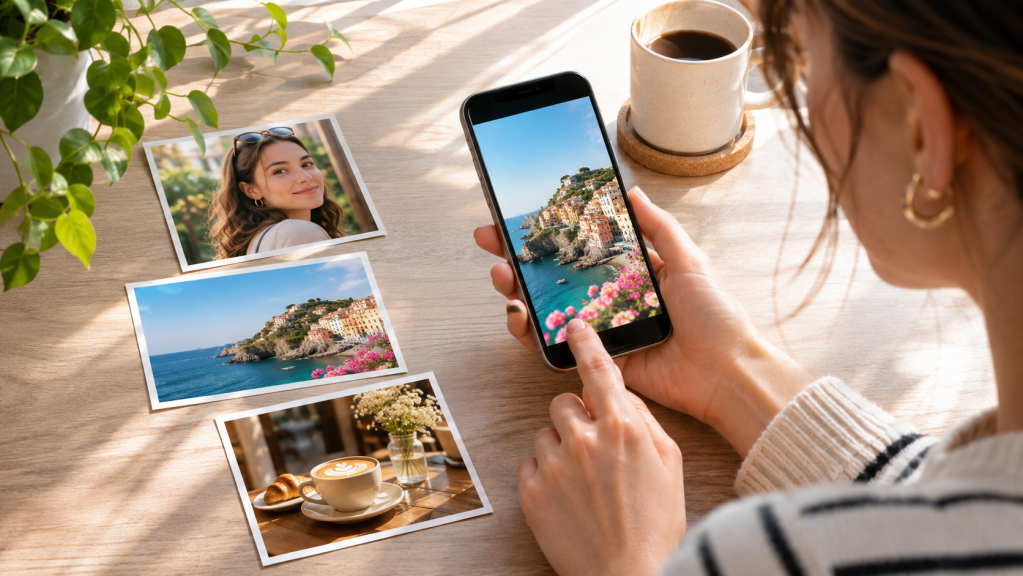
The easiest photo editing app depends on the result you need. Google Photos is a straightforward choice for quick everyday corrections, while Apple Photos is the easiest starting point for many iPhone owners because editing stays inside the photo library. WayShot suits beginners who want a finished mood from a scene-based Style instead of numerous controls. Snapseed is a fully free option for users willing to learn more, and Lightroom provides a path from basic adjustments to advanced editing. Canva suits social posts, while VSCO favors repeatable preset-based looks. This comparison evaluates official features and workflows, not timed tests or user surveys
What Makes a Photo Editing App Easy to Use?
An easy photo editing app is not necessarily the one with the fewest features. It reaches the intended result with the least unnecessary complexity. Beginners should ask whether crop, auto-enhance, filters, exposure, and saving are easy to find; whether choices require photography terminology; and whether useful basics are free. A Style simplifies aesthetic decisions, while automatic enhancement can correct a snapshot. Manual sliders are better for a specific problem. Presets or copied edits can keep related photos coherent. Platform availability and export restrictions matter too. These evaluations use documented functions and subscription boundaries, not unverified speed claims.
Easiest Photo Editing Apps in 2026 — Quick Comparison
| App | Best For | Why It’s Easy | Main Limitation |
| WayShot | Scene-based styles | Choose a look by scene | Limited precision; in-app purchases |
| Google Photos | Everyday fixes | Suggestions and basics | Tools vary by device |
| Apple Photos | iPhone basics | No import | Apple only |
| Snapseed | Free editing | Auto or manual | More decisions |
| Canva | Social content | Edits plus templates | Some tools paid |
| VSCO | Consistent looks | Presets and Recipes | Limited free presets |
| Adobe Lightroom | Learning | Scalable controls | Premium tools; learning curve |
Easiest Photo Editing Apps — Detailed Reviews
WayShot: Best for Quick, Style-Based Photo Editing
Overview and ease: WayShot can shoot or edit a library photo using five Styles documented in its current iPhone listing: DigiCam for direct-flash nights, DigiLite for warm daylight, Clean Girl for soft portraits, B&W for contrast and texture, and ProCam for cleaner color and detail. Choosing by scene avoids building a look slider by slider. Official iPhone and Android listings are available, with in-app purchases.
Limitation: It is not a RAW developer or precision local editor.
Best for: Portraits, travel, cafés, and nights out.
Verdict: WayShot is practical for beginners who want scene-led styling, not detailed correction.
Google Photos: Best for Everyday Quick Fixes
Overview and ease: Google Photos puts suggested edits beside crop, filters, brightness, contrast, and color controls in the existing library.
Limitation: Availability can depend on the photo, device, and hardware.
Best for: Cropping, straightening, and small light or color corrections.
Verdict: Google Photos is a straightforward choice for improving an everyday picture without entering a separate creative workspace.
Apple Photos: Best for Built-In iPhone Editing
Overview and ease: Apple Photos provides Auto, light and color controls, filters, crop, rotation, perspective correction, reversible edits, and copying edits to multiple photos. It requires no import.
Limitation: It is Apple-only and less specialized than dedicated editors.
Best for: iPhone users learning composition, exposure, and filter strength.
Verdict: Apple Photos is the simplest iPhone starting point for basic corrections.
Snapseed: Best for Free, Straightforward Photo Adjustments
Overview and ease: Snapseed is free and documents automatic or manual color and exposure, non-destructive editing, selective tools, healing, Looks, batch editing, and JPG plus some RAW support. Beginners can start with Adjust, crop, or a Look.
Limitation: Its breadth creates more choices than a one-tap editor.
Best for: Users wanting depth without a subscription.
Verdict: Snapseed is a capable free option for basic corrections now and detailed control later.
Canva: Best for Easy Social Media Photo Editing
Overview and ease: Canva combines crop, filters, adjustments, Auto-adjust, text, and templates on mobile and desktop, so a photo can move directly into a post or collage. Limitation: Background Remover and Magic Eraser require eligible paid tiers, while the design canvas is unnecessary for photo-only work.
Best for: Finished social graphics.
Verdict: Canva is easiest when photo correction and layout belong to the same task.
VSCO: Best for Simple Presets and Consistent Looks
Overview and ease: VSCO applies adjustable presets instead of asking beginners to build color from scratch. Its guide lists nine free presets; VSCO Plus adds 200+ presets and unlimited reusable Recipes.
Limitation: Much of the library and advanced toolkit requires membership.
Best for: Instagram sets and travel albums with consistent color.
Verdict: VSCO is beginner-friendly when repeatable visual direction matters more than automatic correction.
Adobe Lightroom: Best for Beginners Who Want to Learn Editing
Overview and ease: Lightroom mobile offers capture, organization, sharing, and most editing tools free. Beginners can start with presets and Light or Color controls.
Limitation: Adobe reserves syncing, healing, masking, geometry, batch editing, and RAW editing for Premium, and the terminology takes time to learn.
Best for: Users whose skills will grow.
Verdict: Lightroom is not the fastest first editor, but it builds transferable editing knowledge.
Which Easy Photo Editing App Should You Choose?
For a complete beginner, start with Apple Photos on iPhone or Google Photos on iOS and Android; both keep correction close to the library. If you dislike manual editing and want a ready-made atmosphere, WayShot reduces the creative decision to matching the scene with a Style. Its five-step workflow suits portraits, daylight travel, cafés, and intentional night-flash images, but it does not replace local corrections.
For free editing with more control, choose Snapseed. Google Photos emphasizes suggestions and common corrections; Snapseed works tool by tool; VSCO uses presets and reusable Recipes; Lightroom develops manual editing skills. WayShot is different: its scene-led Styles prioritize an overall look with fewer decisions. Canva is more direct when a post also needs text, dimensions, or a template. Whatever the app, compare the result with the original and stop before faces, light, or familiar places look less believable; WayShot’s guide to avoiding an over-edited result explains that boundary.
One-Tap Filters vs. Manual Editing: Which Is Easier?
One-tap filters or Styles are easiest when the goal is a coherent mood and the original is usable. Automatic enhancement suits basic light, color, or framing corrections without diagnosing every setting. Manual editing is better for a named problem such as clipped highlights, a crooked horizon, or a color cast. One tap is not automatically better: a preset can exaggerate poor light or unnatural skin color. Use the shortest workflow that solves the problem, then compare the result with the original before saving or sharing.
Frequently Asked Questions
What is the easiest photo editing app for beginners?
Google Photos is a straightforward general recommendation for quick everyday corrections, while Apple Photos is the most convenient choice for many iPhone owners. WayShot is simpler for choosing an overall aesthetic; Lightroom is better for beginners who want to learn editing concepts.
What is the easiest free photo editing app?
Snapseed is a capable free photo editing app for users who want both basic and deeper adjustments without subscriptions, purchases, ads, or watermarks. For lighter work, Google Photos and Apple Photos provide crop, automatic adjustment, filters, and common light or color controls.
What is the easiest photo editing app for iPhone?
Apple Photos is the easiest iPhone editor for basic corrections because it is built into the library and requires no import. WayShot is a practical alternative when the goal is a distinct scene-based look rather than manual exposure and color adjustments.
How can I edit photos without learning complicated editing tools?
Start with one goal: crop the frame, improve overall light, or choose one suitable Style. Use Auto in Apple Photos or a suggestion in Google Photos for correction; use WayShot or a VSCO preset when the priority is a visual mood.
Is WayShot easy to use for beginners?
Yes, for a specific workflow. WayShot is beginner-friendly when users want to select among five documented scene-based Styles rather than build an edit manually. People who need masking, RAW development, precise retouching, or exact color correction should choose Snapseed or Lightroom instead.
Final Verdict
There is no single easiest editor for every beginner. Google Photos is a straightforward choice for everyday fixes, and Apple Photos is the easiest built-in iPhone option. WayShot fits users who prefer scene-based Styles and minimal manual adjustment. Snapseed offers a broad free toolkit, VSCO supports consistent preset-led color, Canva combines editing with social design, and Lightroom provides a path toward advanced control. Choose the app that solves the photo problem without forcing unnecessary tools into the workflow.
Official Sources
This article is not sponsored, product facts come from publicly available official sources; recommendations are editorial judgments tied to specific use cases and limitations. The article does not claim laboratory testing, hands-on comparative testing, measured image-quality superiority, user-review ranking, or an undisclosed author identity.
Leave a Reply